
by admin | Oct 12, 2026 | Tech & Digital
The concept of open source is often misunderstood or oversimplified, yet it represents a profound shift in how software and technology are developed, shared, and evolved across the globe. At its core, open source refers to software whose source code is made freely available for anyone to inspect, modify, and enhance. This transparency fosters collaboration and innovation far beyond what traditional proprietary models typically allow. However, the true essence of open source goes beyond merely having access to code; it embodies a philosophy and community-driven approach that champions freedom, inclusivity, and collective improvement.
In the early days of computing, software was typically shared in academic or hobbyist circles, with code freely distributed and adapted. As the software industry grew, companies began to treat code as intellectual property, creating proprietary systems that concealed their inner workings. The open source movement emerged as both a reaction and an alternative to this closed model. It promotes the idea that knowledge should be shared freely so that the software can be scrutinized and improved upon by anyone with a stake or interest in their use. This not only accelerates development but also increases trustworthiness, as open access allows for broader auditing and debugging by a diverse community.
One of the common misconceptions is that open source is about the price—namely that it is free of charge. Though open source software is often available at no monetary cost, free access to the source code is what truly differentiates open source from freeware or shareware. The freedom to use, modify, and distribute software without restrictions is fundamental to open source. This means users can adapt the software to their specific needs, enhance features, or fix issues independently. The open source license governs these freedoms, and it is critical to understand that not all licenses impose the same conditions. For example, permissive licenses like MIT or Apache allow for broad reuse even in proprietary software, whereas copyleft licenses like the GPL require derived works to remain open source as well.
The empowerment granted by open source extends beyond individual users to entire organizations and industries. Companies that incorporate open source software often experience reduced costs, increased agility, and the ability to leverage the innovations of a global community. Open source also facilitates interoperability and standards adherence, as shared codebases discourage vendor lock-in and promote compatibility. For instance, many backbone technologies that power the internet, cloud infrastructure, and mobile devices are rooted in open source projects, demonstrating the large-scale impact of this approach.
Equally important is the role of community in the open source ecosystem. These software projects thrive on the contributions of developers, testers, writers, and users worldwide who collectively maintain and improve the code. This contrasts sharply with proprietary development, where source code is often developed behind closed doors with limited external input. Open source communities use tools such as version control systems, issue trackers, mailing lists, and forums to coordinate and communicate. The meritocratic nature of many communities rewards contributors based on the quality of their work rather than formal hierarchy, although leadership roles still emerge to guide the project’s direction.
Collaboration is not always seamless, and open source projects can face challenges such as governance disputes, fragmentation, or inconsistent quality contributions. However, mature projects often establish clear guidelines and codes of conduct to foster respectful interaction and ensure that decision-making processes are transparent and inclusive. This social infrastructure is a vital complement to technical openness, shaping the culture and sustainability of open source endeavors. The success of prominent projects like Linux, Apache, or Kubernetes exemplifies how well-structured communities can drive innovation on a massive scale.
Beyond software, the principles of open source have inspired movements in hardware design, educational resources, scientific research, and even policymaking. The ethos of open participation, transparency, and freedom to build upon existing work has catalyzed new models of sharing knowledge across disciplines. Open source hardware, for example, applies similar ideas to physical products, where designs are published openly for others to modify and manufacture. This expansion of open source principles illustrates a broader cultural shift towards decentralized collaboration and democratization of technology.
Security is another important dimension where the open source model demonstrates unique strengths and vulnerabilities. While exposure to public scrutiny can lead to swift identification and resolution of vulnerabilities, it also poses risks if malicious actors exploit openly accessible code. Nonetheless, the collective vigilance of the community often results in faster patching cycles and a more resilient codebase compared to closed-source alternatives. Transparency allows users to verify security claims independently rather than relying solely on vendor assurances, which is critical in an era where software underpins critical infrastructure.
Economic models surrounding open source continue to evolve and challenge traditional assumptions about business and revenue generation. Many companies thrive by offering commercial support, consulting, hosting services, or proprietary features layered on top of open source foundations. This symbiotic relationship creates diverse revenue streams while keeping the core codebase open and fostering innovation. Additionally, some organizations use open source as a strategic tool to build ecosystems around their platforms, encouraging third-party developers to contribute and enhance their technology offerings.
The impact of open source on education and skill development is profound. Access to real-world codebases enables students, aspiring developers, and hobbyists to learn by doing, understanding complex systems and contributing to meaningful projects. The meritocratic nature of contribution allows newcomers to demonstrate their abilities publicly, opening doors to professional opportunities and community recognition. This democratization of learning and collaboration reduces barriers and fosters a more inclusive tech industry.
Open source is not without its critics or limitations. Skeptics argue that open source projects can suffer from lack of funding, uneven quality, and insufficient documentation. The reliance on volunteer labor may lead to burnout and sustainability concerns, particularly for foundational projects with wide dependencies. Furthermore, the coexistence of multiple licenses and varying compliance requirements can create legal and operational complexities for businesses. Balancing the ideals of openness with practical considerations remains an ongoing challenge within the ecosystem.
Nevertheless, the underlying values of transparency, collaboration, and freedom continue to drive a vibrant and growing open source movement. It reshapes how software is created and shared, introducing new models of community engagement and economic sustainability. At its heart, open source technology is about empowering users and developers alike to control their tools, participate in their evolution, and contribute to a shared digital commons. This empowerment fuels innovation and inclusivity, creating technology solutions that are more robust, accessible, and reflective of diverse needs.
Understanding what open source really means requires recognizing it as a multifaceted phenomenon blending legal frameworks, social structures, and technical methodologies. It is not simply about free software but about establishing a culture of trust and cooperation in a world increasingly shaped by digital technologies. By embracing openness, societies gain access to a collective reservoir of knowledge and creativity, enabling progress that benefits individuals, businesses, and communities worldwide. Open source, therefore, stands as a powerful testament to the potential of collaborative human ingenuity unleashed through the freedom to share and innovate.

by admin | Oct 11, 2026 | Tech & Digital
In the digital age, where nearly every aspect of life is touched by technology, it’s common to encounter software that comes at no monetary cost. The question often arises: why is some software free? This curiosity stems from the conventional expectation that products and services carry a price tag due to the value and effort embedded in their creation. However, the world of software defies this norm in numerous ways, and understanding why some software is free involves diving into a mix of economic models, philosophical principles, and strategic business decisions.
One of the fundamental reasons some software is free is the concept of open-source development. Open-source software is created with the intent that its source code is freely available for anyone to view, modify, and distribute. This approach encourages collaboration and transparency, allowing programmers all over the world to contribute to improving the software. The open-source movement is driven by the belief that sharing knowledge and tools leads to better technology and innovation. Developers who create open-source software often do it for altruistic reasons, to solve common problems, or to build a reputation in the tech community, rather than for direct financial gain.
In addition to contributing to the greater good, open-source software often promotes learning and skill development. Aspiring programmers and students are able to study the source code, gaining practical experience that proprietary software does not offer. This educational aspect fuels further innovation and ensures that communities around open-source projects continue to thrive. Because of these collaborative benefits, open-source projects typically remain free, supported instead by volunteers or organizations that recognize the value of having a robust ecosystem built on shared software.
Furthermore, companies sometimes release software for free as part of a larger business strategy. In many cases, software companies adopt a “freemium” model: they offer a basic version of the software without charge to attract users and build a user base, then offer premium features or services at a cost. By doing this, they leverage the free software to create a marketplace where users can pay for added value, advanced functionalities, or enhanced support. This model is prevalent in various sectors, including productivity apps, online games, and cloud services, where a wide user base is critical for sustainability and growth.
Moreover, some free software is distributed as a way to generate revenue through alternative means, such as advertising or data collection. These business models allow companies to subsidize the cost of software development and distribution by monetizing user attention or user data rather than charging an upfront fee. In such cases, the software remains free to download and use, but users indirectly contribute to the company’s revenue through engagement with ads or the value derived from analyzed user information. While this approach raises privacy concerns for some, it forms a significant part of the ecosystem of free software available today.
Another dimension to consider is that free software often serves as a low-risk trial or gateway for companies selling complementary products or services. For instance, hardware manufacturers might bundle free software with their devices to enhance user experience and increase the perceived value of their products. Similarly, software companies may release free tools that feed into their main product offerings, encouraging users to adopt entire ecosystems that ultimately lead to upgrades, subscriptions, or professional services.
Nonprofit organizations and educational institutions also play a crucial role in producing free software. Many projects developed by universities or nonprofits aim to promote social good, improve accessibility, or support research that would otherwise have limited resources. These entities often share their products for free to maximize impact and accessibility, prioritizing community benefit over profit. Their software tends to focus on areas such as public health, environmental monitoring, and education—fields where cost barriers could hinder widespread adoption and hinder progress.
The openness and availability of software without charge also foster competition and innovation in the marketplace. When free alternatives exist, commercial software developers are motivated to enhance their offerings or lower prices to stay competitive. This dynamic benefits consumers by providing more choices and encouraging continuous improvement. The presence of free software acts as a balancing force, preventing monopolies and promoting a more diverse and vibrant technology landscape.
Legal and licensing frameworks further influence why some software remains free. Licenses like the GNU General Public License (GPL) or the MIT License grant users rights to use, modify, and redistribute software without payment while imposing certain obligations and protections. These licenses ensure that free software remains free and open, preventing companies from privatizing improvements or restricting access. Licensing has thus become a powerful tool to enshrine the philosophy behind free software, embedding these principles within legal structures.
The development of free software can also be attributed to the nature of today’s digital distribution channels. The internet allows software developers to reach a global audience without the significant costs associated with physical media or traditional retail distribution. This low barrier to dissemination makes it feasible to share software widely at little to no cost, reducing the need for immediate financial returns through sales. Instead, developers can explore alternative paths to sustainability, such as donations, sponsorships, or ancillary services.
Crowdfunding campaigns and community donations have emerged as viable ways to support free software projects, especially for smaller teams or individual developers. Platforms like Patreon or Open Collective enable users who benefit from free software to contribute financially, helping to cover development costs or incentivize ongoing maintenance. This model underscores a growing recognition that free software offers value to individuals and organizations without traditional monetary transactions, relying instead on goodwill and collective responsibility.
It’s also important to recognize that the cost of software is not only about money but time and resources. Many free software projects are supported by a community of contributors who volunteer their time and expertise. The absence of a price tag does not imply a lack of value or quality; instead, it reflects a shift in how value is measured and exchanged. For these projects, success is often defined by widespread usage, community engagement, and the ability to meet user needs rather than profitability.
From another perspective, governments and public institutions sometimes develop free software to ensure security, transparency, and public access. Such software often underpins critical infrastructure or provides essential services without commercial constraints. Governments may prioritize public interest over profit, releasing software freely to avoid monopolies or dependency on private vendors. This approach also facilitates auditing and verification, bolstering trust and accountability in sensitive areas such as voting systems, healthcare, or public records.
Within the context of software ecosystems, some organizations use free software as a foundation to cultivate developer networks and partnerships. By providing tools and frameworks without charge, they encourage external developers to build complementary products, plugins, or applications. This symbiosis expands the ecosystem’s value, incentivizes innovation, and fosters a sense of community ownership, all of which contribute to the sustainability of the free software at the core.
Technology platforms that rely on network effects often give away software to accelerate adoption and create user dependence. Social media platforms, communication apps, or widely used utilities frequently start as free services designed to amass large user bases. Once users are deeply integrated, the platform can monetize through specialized services, advertising, or data-driven insights. This strategic offering of free access is instrumental in building market dominance and user loyalty.
Finally, the philosophical roots of free software originate from a commitment to user freedom. Advocates argue that software should respect users’ rights to run, inspect, modify, and share programs freely. This ideology challenges traditional proprietary models and champions transparency and collective ownership of knowledge. It prioritizes empowerment and ethical considerations over commercial interests, creating a software landscape where freedom of use is conserved and protected.
In summary, the reasons some software is free are multifaceted, combining open collaboration, strategic business models, education, public benefit, and ethical principles. Free software embodies more than just a no-cost product; it represents a paradigm shift in how software is created, distributed, and valued. The presence of free software enriches the technological world by fostering innovation, supporting community-driven progress, and ensuring broader access to essential tools. Understanding these diverse motivations reveals that free software is not a paradox but rather a reflection of evolving market dynamics and societal values in technology’s ongoing development.

by admin | Oct 10, 2026 | Tech & Digital
Understanding software licenses is essential for anyone who uses, develops, or distributes software, as these licenses govern how software can be used, modified, and shared. Software licenses are legal frameworks that establish the terms under which software is made available to end users and organizations. They define the scope of usage rights and restrictions, protecting both the software creators’ intellectual property and the users’ ability to legally operate the software. Without a clear license, there could be confusion or legal risk surrounding the software’s use.
At its core, a software license acts as a contract between the software creator or owner and the user. Instead of transferring ownership of the software itself, these licenses grant users a set of permissions to use the software in specific ways. This distinction is crucial because software is typically distributed under licenses rather than sold as a product, meaning the user does not own the software in the traditional sense but rather holds a license to use it under the defined terms.
Licenses can vary widely in their provisions, tailoring the allowed uses, distribution rights, and fee structures to suit different business models and user needs. A simple example is the difference between proprietary software licenses and open-source licenses. Proprietary licenses often restrict usage to what is outlined in the end-user license agreement (EULA), limiting copying, modification, or resale, whereas open-source licenses encourage modification and redistribution, often with fewer or different restrictions.
The most common type of license in the commercial software industry is the proprietary license. Under this model, software companies retain exclusive rights to their software and charge users for the right to use it. Proprietary licenses often restrict the user from modifying the software’s source code, reverse engineering it, or sharing it with others. These restrictions are put in place to protect the company’s intellectual property and to monetize the software effectively. Additionally, users may receive only compiled binaries instead of the source code, preventing unauthorized alterations.
In contrast, open-source licenses grant users access to the software’s source code and provide broad permissions to use, modify, and share the software freely. However, even open-source licenses have important legal terms that must be followed. Different types of open-source licenses impose varying conditions. For instance, permissive licenses like the MIT License allow software to be included in proprietary products without much restriction, while copyleft licenses such as the GNU General Public License (GPL) require that derivatives also remain open source under the same license terms.
Understanding the differences between these licenses is important for companies that rely on integrating or modifying software in their products or services. Using open-source components without complying with the license terms can expose a company to legal challenges and even the requirement to release proprietary code publicly. This has led to a growing emphasis on license compliance management within software development teams and legal departments.
In addition to commercial and open-source licenses, there are also free software licenses that emphasize user freedoms. The Free Software Foundation, for example, promotes licenses that ensure users can freely use, study, redistribute, and modify software. While sometimes used interchangeably with open-source licenses, free software licenses often place greater emphasis on the ethical and philosophical foundations of software freedom.
Aside from categorizing licenses by permissions and restrictions, software licenses also vary in terms of licensing duration and transferability. Some licenses are perpetual, meaning they grant the right to use the software indefinitely after purchase. Others are subscription-based, requiring periodic payments to continue access or receive updates. Transferability clauses determine whether a license can be reassigned to another user or device, which is crucial in corporate environments where software may need to move between employees or locations.
The impact of software licensing extends beyond legal terms into practical considerations such as support and updates. Proprietary licenses often bundle support services and software updates within the licensing fees or subscriptions. In open-source communities, support may come from community forums or paid third-party vendors rather than the original developers. For businesses, understanding these nuances influences budgeting decisions and risk assessments around software deployment.
When companies acquire software licenses, they must ensure compliance by adhering to usage limits stated in the license agreement. Some licenses limit usage to a specific number of devices, users, or processors, commonly referred to as “seat licenses” or “node-locked licenses.” Others allow for wider use with concurrent user limits or enterprise agreements that provide unlimited use across an organization. Misuse or overuse outside the scope of the license can trigger audits, penalties, or loss of access.
Software license audits are a common enforcement mechanism software vendors employ to ensure compliance. These audits involve reviewing how software is used within an organization, assessing license adherence, and rectifying any discrepancies. A company found using software beyond the scope of its license may be required to purchase additional licenses or face legal consequences. Preparing for audits by keeping accurate records and implementing license management tools is an industry best practice.
In the context of software development, licensing is also critical for protecting intellectual property rights and controlling how code is shared or reused. Developers who release code without a license risk relinquishing control over its use, essentially donating it to the public domain unintentionally. Applying explicit licenses clarifies which rights are granted to others and under what conditions, providing legal safeguards for creators and clear guidelines for users.
Moreover, software licenses affect the broader software ecosystem, influencing innovation, competition, and collaboration. Open-source licenses have fostered an environment where developers from around the world can contribute to shared projects, accelerating technological progress. Conversely, proprietary licenses drive revenue that funds ongoing development and support but may limit interoperability and user freedom.
For organizations incorporating third-party libraries, frameworks, or tools into their software, license compatibility is another critical consideration. Some open-source licenses have terms that conflict with others, making it legally impossible to combine code under incompatible licenses. Developers must carefully review the licenses involved and often seek legal guidance to ensure their software complies with all applicable licensing requirements.
Cloud computing and software-as-a-service (SaaS) models have introduced additional layers of complexity to software licensing. Rather than licensing software for installation on personal or enterprise hardware, SaaS licenses typically grant access rights to software hosted on remote servers. This subscription model affects how usage is measured and billed, how data privacy is managed, and which user rights persist. SaaS agreements often include specific terms on data ownership, service availability, and termination conditions.
In a world where software touches almost every aspect of personal and professional life, understanding the foundational concepts of software licensing helps users navigate the legal landscape confidently. It empowers organizations to choose the right software according to their operational needs, budget constraints, and compliance requirements. Similarly, developers and vendors can craft licenses that protect their interests while fostering trust and collaboration with their users.
In summary, software licenses establish the legal parameters around the usage, modification, and distribution of software. The diversity of licensing types—from proprietary to open-source, permissive to copyleft, perpetual to subscription-based—reflects the wide range of business models and user needs in the software industry. Knowledgeable handling of software licenses ensures legal compliance, supports ethical use, and fosters innovation in an increasingly software-driven world. Whether a user is an individual downloading an application, an enterprise deploying vast systems, or a developer creating new software, understanding how software licenses work is essential to navigating the digital environment responsibly and effectively.
by admin | Oct 9, 2026 | Tech & Digital
Operating systems form the backbone of modern computing, managing hardware resources and providing a platform for software applications to function. Despite their sophistication and complexity, they are not immune to failure. When an operating system crashes, it disrupts productivity, risks data loss, and often leaves users bewildered about the underlying cause. Understanding why operating systems crash involves exploring a variety of technical factors, ranging from hardware malfunctions to software glitches, and even user-induced errors.
One of the primary reasons operating systems crash is hardware failure. At the core of every computer are physical components such as the CPU, memory modules, storage drives, power supply units, and peripheral devices. These components are subject to wear and tear, manufacturing defects, or environmental stress, all of which can cause unexpected malfunctions. For example, faulty RAM can introduce random errors by corrupting the data being processed, causing the operating system to become unstable. Similarly, failing hard drives can lose or corrupt critical files needed for the operating system to run smoothly. Overheating also poses a significant risk; when processors or graphics cards run too hot, they may throttle performance or shut down abruptly, leading to crashes.
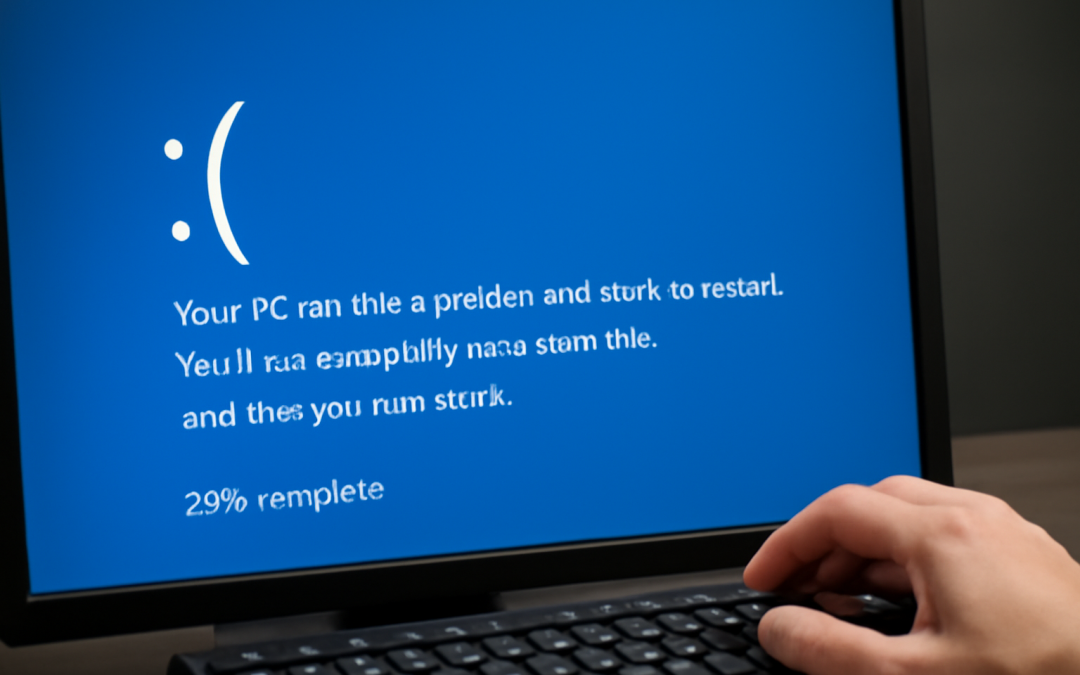
Beyond individual hardware parts, compatibility issues between components can also trigger system failures. Drivers play a crucial role here, acting as intermediaries between hardware and the operating system. When drivers are outdated, corrupted, or incompatible with the operating system’s version, they can cause conflicts that lead to crashes. This is particularly common when new hardware is introduced to an older OS or when system updates do not properly support existing drivers. The result is often a system crash accompanied by error codes or “blue screens” that indicate driver-related problems.
Software bugs and vulnerabilities are another significant contributor to system crashes. Operating systems are made up of millions of lines of code, and even a minor flaw in that code can have cascading effects. These bugs might arise from errors in programming, poor testing, or incompatibility with various software environments. Exploiting such bugs can also be a security risk, as malicious software can use vulnerabilities to destabilize the system or cause it to crash deliberately. Additionally, when software applications are poorly designed or fail to interact correctly with the operating system, they may invoke system calls that the OS cannot handle properly, leading to crashes.
The phenomenon of memory management issues is central to many operating system crashes. Because the operating system is responsible for allocating memory efficiently among applications, any failure in this management can cause serious problems. Memory leaks, where applications fail to release unused memory, can consume system resources until the OS runs out of usable memory. This often results in slowdowns that escalate to complete system failure. Another frequent scenario is buffer overflow, a condition where a program writes more data to a buffer than it can hold, causing adjacent memory to be overwritten. This can corrupt system processes, as well as lead to security vulnerabilities exploited by attackers.
Unexpected power failures or interruptions also play a role in causing crashes. Many operating systems rely heavily on transaction-based file systems to preserve data integrity. However, if the power goes out suddenly, data that is in transit between memory and storage may become corrupted. This not only leads to the crash itself but may also result in longer recovery times as the OS attempts to repair damaged files during reboot. Uninterruptible power supplies (UPS) can mitigate this risk but are not always used or effective in all environments.
Sometimes, the root cause can be traced back to updates and patches that are meant to improve the system but inadvertently destabilize it. Operating systems receive regular updates to patch security holes, improve performance, and add new features. However, updates are not foolproof; problems such as incomplete installations, conflicts with existing software, or bugs introduced in the update code can cause failures. In severe cases, an update might render a system unbootable, requiring advanced repairs or reinstallation.
Misconfiguration of system settings is another frequent cause of crashes. Modern operating systems have a vast array of customizable settings affecting everything from memory management to input/output operations. Incorrect configuration, whether through user error or third-party software changes, can lead to instability. For instance, tweaking system files without fully understanding their function, or enabling experimental features without proper testing, can cause conflicts or resource exhaustion, resulting in system failures.
Malware infections are an increasingly common culprit in operating system crashes. Malicious software like viruses, ransomware, and trojans often manipulate core system processes to execute unwanted actions. This interference can disrupt the stability of the operating system, cripple essential services, or corrupt key files. In severe cases, malware can intentionally crash the operating system to prevent users from accessing their data or to hide its tracks. Security software aims to detect and eliminate these threats, but sophisticated malware can evade defenses and cause significant damage before being removed.
File system corruption is another technical issue that frequently leads to crashes. A file system governs how data is stored and retrieved on a disk, and errors in the file system can result from improper shutdowns, hardware failures, or software bugs. When system files essential for the operating system’s functioning become corrupted, the OS may fail to load or operate unpredictably. Tools like disk check utilities are designed to detect and fix file system errors, but if corruption is severe, recovery might require reinstallation or data restoration from backups.
The complexity of multitasking also introduces risks that can lead to crashes. Operating systems manage numerous applications and processes simultaneously, using scheduling algorithms to allocate CPU time and system resources. Sometimes, conflicts can arise when processes compete for the same resources or if a process enters an infinite loop. Deadlocks occur when two or more processes wait indefinitely for resources held by each other. These states can hang the system or cause kernel panics, a form of crash where the operating system detects an unrecoverable error and halts all activity.
Kernel errors are especially severe because the kernel is the core component of an operating system. It controls hardware communication, manages memory, and enforces security. If the kernel encounters unexpected situations such as invalid memory accesses or illegal instructions, it often results in a crash. Kernel panic is the term used in Unix-like systems to describe such conditions. Similarly, in Windows, the equivalent is the infamous Blue Screen of Death (BSOD), which provides error codes that can help diagnose the underlying issue. Kernel crashes are often due to bugs in the kernel code itself, hardware faults, or driver incompatibilities.
Resource exhaustion also causes many crashes, particularly in systems that run for extended periods or operate under heavy workload. When CPU, memory, or disk resources are maxed out, the operating system may become sluggish or unresponsive. In extreme cases, this can lead to a crash as system services fail to execute in a timely manner or as thread starvation occurs. This problem is frequently seen in servers and enterprise environments where proper resource monitoring and management are critical to maintaining stability.
User errors can surprisingly also cause operating system crashes. Although modern operating systems strive to isolate user actions from critical system functions, certain user actions—such as deleting system files, installing incompatible software, or altering registry settings—can destabilize the environment. Furthermore, inexperienced users may unintentionally run harmful commands from the command line or disable essential services, which can provoke a system crash.
Another subtle but impactful factor is software conflicts. With numerous applications installed, sometimes software programs interfere with each other or with the OS system components. Conflicts can result from shared system resources, incompatibility between software versions, or competing background processes. For example, two antivirus programs running simultaneously can cause conflicts that destabilize the system or undermine protection mechanisms.
Virtualization and containerization, which are increasingly common in contemporary computing environments, introduce their own set of stability challenges. Running multiple operating systems or virtual machines on a single physical machine requires careful resource allocation and management. Failures in virtualization software, misconfiguration, or resource contention can cause the host or guest operating systems to crash unexpectedly.
Finally, environmental and external factors should not be discounted. Power surges, physical damage, electromagnetic interference, or even cosmic radiation in rare cases can cause hardware components to malfunction transiently or permanently. These malfunctions often manifest as system crashes that may be difficult to diagnose because they do not leave obvious traces.
The quest to prevent operating system crashes continues to evolve as hardware grows more powerful, software becomes more complex, and user expectations increase. Operating system developers employ rigorous testing, error handling, and recovery mechanisms to minimize crashes, but absolute stability remains elusive. Users also play a critical role by maintaining up-to-date software, avoiding suspicious programs, exercising caution with system modifications, and ensuring hardware is reliable and adequately cooled. By understanding the diverse reasons behind system failures, users and administrators can better prepare for and mitigate the impact of these disruptive events.
In summary, operating systems crash due to a wide array of causes that span hardware faults, software bugs, driver conflicts, misconfigurations, malware infections, and resource management issues. Each failure is the result of a complex interplay of factors rather than a single cause, making diagnosis and resolution challenging. Continued advances in design, testing, and system monitoring aim to reduce these incidents, but users must remain vigilant, maintaining both their system’s hardware and software health to ensure smooth and stable operation over time.

by admin | Oct 8, 2026 | Tech & Digital
Whenever you power on a computer or any modern electronic device, a complex series of events unfolds behind the scenes to prepare the system for operation. This process, often taken for granted, is fundamental to the reliable functioning of the device and serves as the foundation upon which the entire user experience is built. Understanding what happens during a system boot provides valuable insight into how hardware and software work in concert to bring a machine from a powered-down state to an active, usable condition.
The very first step begins when the power button is pressed, sending an electrical signal to the hardware components. At this stage, the processor is in a dormant state and is immediately put to work to initiate the startup sequence. The central processing unit (CPU) looks for specific instructions stored in firmware—non-volatile memory embedded on the motherboard—often known as the Basic Input/Output System (BIOS) or firmware in newer systems like the Unified Extensible Firmware Interface (UEFI). This initial code acts as the system’s first responder, performing a quick diagnostic check, called the Power-On Self-Test (POST).
POST is critical because it verifies that essential hardware components are present and functioning properly before the system can proceed. It tests the CPU, system memory (RAM), storage devices, and other peripherals. If any hardware component is not responding correctly or is missing, the POST routine can halt the boot process, often alerting the user through beep codes or error messages. Ensuring the basic hardware is ready is vital since the operating system cannot load without a stable, functioning environment.
Once POST completes successfully, control transfers to the next stage, which involves locating a bootable device—typically a hard drive, solid-state drive, or external media like a USB stick or DVD. This is done by examining the boot order settings configured in the firmware. The firmware scans these devices for a special region called the Master Boot Record (MBR) or for EFI systems, the EFI System Partition. The MBR contains code that tells the system where to find the operating system’s core files. Without this, the machine wouldn’t be able to launch its operating system.
After identifying a valid bootloader on the chosen device, the firmware hands over control to that bootloader program. This transition marks a key milestone because the bootloader is responsible for loading the operating system itself into memory. The bootloader performs several important functions—loading the kernel, initializing hardware drivers, and often providing a menu of boot options for users who require multiple operating systems or recovery modes.
The kernel, which is the heart of the operating system, begins running once the bootloader finishes loading it into RAM. Instantly, the kernel steers the system from low-level hardware management to more complex tasks such as managing processes, handling system resources, and coordinating communication between software and hardware. During this period, various kernel modules, including device drivers, are loaded in order to set up all connected hardware devices for use.
As the kernel continues its initialization, it launches the first user-space process, usually called the init system. This init process is responsible for starting all other system services and daemons, ensuring that networking, user interfaces, and background services are all properly initialized and ready for use. Different operating systems utilize different init systems; for example, modern Linux distributions often use systemd, while some Unix systems rely on older init implementations.
During this phase, configuration files are read, and system parameters are established. These configurations can dictate a wide range of settings—from user authentication methods to network configurations and hardware-specific behaviors. The system boot process also includes mounting filesystems, ensuring that data stored on various storage devices becomes accessible to the operating system and applications.
Concurrently, many systems perform additional security checks during bootup for protection against tampering or unauthorized access. Features like Secure Boot, which is supported by UEFI firmware, verify the digital signatures of the bootloader and operating system components, preventing the system from running unsigned or malicious code. This adds a layer of integrity and trust to the early stages of the startup process.
An often overlooked but crucial aspect of what happens during a system boot involves the initialization of hardware components beyond the basics. Modern computers engage in initializing peripherals such as network interfaces, graphic cards, sound cards, and input devices so that they can interact with high-level software. This initialization includes configuring device capabilities and memory mapping required for efficient communication between the CPU and peripherals.
Visual feedback during boot is another component with its own importance. The system may display manufacturer logos, diagnostic messages, or animations to inform the user that the hardware checks and system loading are underway. Although this progress seems straightforward, it reflects substantial activity occurring beneath the surface, preparing everything for user interaction.
Once the bootloader, kernel, init system, and associated services are fully loaded, the system eventually reaches the point of user login. At this stage, the graphical user interface or command line login prompt appears, depending on the configuration and type of device. The operating system is now fully operational, capable of running applications, managing files, and responding to user input, which is the ultimate goal of the entire boot process.
Occasionally, the boot sequence may encounter issues that prevent normal startup. Common problems include corrupted bootloader code, missing system files, hardware failures, or conflicts caused by recent configuration changes. In such cases, special recovery modes or rescue environments are employed to repair the system. These modes allow users or administrators to troubleshoot and remedy problems before attempting to boot normally again.
Understanding what happens during a system boot also reveals the importance of system updates and firmware upgrades. Manufacturers and developers periodically release updates to improve stability, security, and compatibility during startup. Keeping firmware and bootloader components up to date helps avoid vulnerabilities and ensures the system’s hardware interacts harmoniously with the software ecosystem.
In specialized environments, such as servers or embedded systems, booting may include additional steps tailored for specific operational requirements. For example, some servers execute network boots where the system loads its operating system from a remote server, which is useful for centralized management and rapid deployment. Embedded devices might have custom boot sequences that optimize startup time or restrict access to authorized functions.
Overall, the process of bringing a system from power off to full operation involves a carefully coordinated series of hardware checks, software loading, configuration tasks, and security validations. Each stage builds upon the last, ensuring that by the time the user gains control, the environment is stable, secure, and ready for productive use. This intricate choreography is a testament to the sophisticated engineering and design principles that underpin modern computing technology.
Recognizing the complexity and significance of these steps fosters a deeper appreciation for the technology that powers everyday devices, as well as the ongoing innovations striving to make boot processes faster, more secure, and more reliable. The pathway from pressing the power button to interacting with a fully operational system is anything but instantaneous magic; it is the result of meticulous coordination across countless layers of hardware and software working seamlessly to serve the user.

by admin | Oct 7, 2026 | Tech & Digital
When you press the power button on a computer, an intricate and carefully orchestrated process begins. This sequence of events transforms an inert machine into a responsive, fully operational device ready to perform a vast array of tasks. Despite its complexity, this process happens in just a few seconds, often invisible to the user, yet it involves numerous components and layers of software working in harmony. Understanding how computers start up reveals the fascinating interaction between hardware and software that underpins nearly all modern technology.
The very first step in this journey occurs as soon as the power supply delivers electricity to the motherboard. This electrical current triggers a circuit called the Power-On Self-Test (POST), a diagnostic routine embedded in the computer’s firmware. The BIOS (Basic Input/Output System) or its modern counterpart, UEFI (Unified Extensible Firmware Interface), manages this initial test, checking critical hardware components such as RAM, the processor, and storage devices for errors. This ensures the system’s integrity before continuing, preventing the computer from starting if major faults are detected. During this stage, you may see a manufacturer’s logo appear or hear beeping sounds indicating the results of the POST.
Once the computer has verified that the hardware is functioning correctly, the next phase involves preparing the system to load the operating system. The BIOS or UEFI locates the boot device—a storage medium containing the operating system files—using a predetermined priority list usually configurable by the user. This device could be a hard drive, a solid-state drive, a USB flash drive, or even a network location. The firmware reads the first sector of the boot device, known as the boot sector or Master Boot Record (MBR) on traditional systems, or the GUID Partition Table (GPT) in modern systems, and transfers control to a small program called the bootloader.
The role of the bootloader is crucial because it acts as a bridge between the firmware’s low-level hardware initialization and the operating system’s needs for a complex environment. Early bootloaders are minimalistic owing to storage constraints but highly efficient. They locate the core OS files and load the kernel—the central part of the operating system—into memory. From this point, the kernel takes over, initializing core system functions and managing resources such as the CPU, memory, and input/output devices. Depending on the system configuration, users may interact with a boot menu at this stage, giving options to select different operating systems or recovery modes.
Once the kernel is loaded, the operating system begins to prepare the system environment for user interaction. This phase is often referred to as the “bootstrapping” process, where essential system services and background processes start running. These services include components responsible for managing hardware drivers, which communicate directly with components like the graphics card, keyboard, and network adapters. The startup process also includes initializing the file system, essential for accessing stored data and programs reliably.
More sophisticated operating systems, such as Windows, Linux, or macOS, use a structured service manager system to handle the initiation of system services. For example, Windows uses the Service Control Manager, while many Linux distributions utilize systemd or init. These managers handle dependencies between services, ensuring that critical functions like networking or user authentication are available when needed. During this phase, the system may also start antivirus programs, system monitoring tools, and customized scripts designed to optimize performance or security.
As the operating system continues to load, control moves toward launching the graphical user interface (GUI), which is the visual environment users see and interact with daily. This process involves starting a display server or window manager, which organizes how windows, icons, and menus appear on the screen. The GUI layer transforms the computer from a complex machine requiring text-based commands into a user-friendly device accessible to a broad audience. The graphical environment relies on various drivers and middleware to translate software commands into output visible on the monitor and to interpret user inputs from devices like a mouse or touchscreen.
Once the GUI is active, system programs begin loading user-specific configurations, applications, and preferences. This includes everything from desktop background settings and personalized menus to startup applications such as email clients, cloud synchronization tools, or messaging programs. These components prepare the computing environment to reflect the habits and needs of the individual user. At this point, the computer becomes fully functional, capable of running a wide range of software applications and accessing network services.
It is important to recognize that this startup process differs somewhat depending on the type of computer and its underlying architecture. For instance, traditional personal computers based on x86 architecture have a different boot sequence than those using ARM processors found in many mobile devices and modern laptops. ARM-based systems often incorporate additional security measures during boot, such as secure boot and hardware-backed encryption, to prevent unauthorized code from running. This heightened security environment is essential for maintaining system integrity, especially in devices connected to the internet.
In recent years, the evolution of firmware technology has introduced several improvements to the startup process. UEFI, which has largely replaced the older BIOS system, offers faster boot times, support for larger storage devices, and a more flexible and modular environment for firmware developers. UEFI interfaces often include graphical menus, mouse support, and networking capabilities, enhancing user interaction during boot configuration. Furthermore, UEFI supports secure boot, a technique that verifies the authenticity of each component loaded during startup, reducing the risk of malware compromising the boot process.
The startup process also includes important recovery capabilities in case something goes wrong. Many operating systems provide specialized recovery environments accessible during boot. These environments allow users and technicians to troubleshoot problems such as corrupted system files, driver conflicts, or malware infections. Recovery modes might include options to restore the system to an earlier state, access command-line tools for manual repair, or reinstall the operating system without affecting personal data. Such tools underscore the importance of designing a boot process not only for performance and functionality but also for resilience and repairability.
While much of the startup process is automatic and does not require user intervention, users occasionally interact with this sequence to make specific adjustments. Accessing the firmware setup utility, usually by pressing keys such as F2, Delete, or Esc during early startup, allows users to configure hardware settings, change boot order priority, enable or disable security features, and update the firmware itself. These options are vital for advanced troubleshooting, upgrading hardware, or customizing the behavior of the system according to individual preferences and requirements.
Beyond personal computers, the principles behind startup sequences apply across a wide spectrum of computing devices, from smartphones and tablets to servers and embedded systems. Each device adapts the core concept—a self-test of hardware, loading of system software, and preparation of a user environment—to meet its performance, security, and usability goals. For example, data centers running vast server farms employ sophisticated boot management systems that enable rapid deployment, configuration over the network, and automated recovery, illustrating how scalable and flexible this process has become.
One particularly intriguing area of development is the rise of instant-on and always-on computers designed to minimize the startup time to nearly zero. These devices employ technologies such as hybrid sleep states, solid-state drives for rapid data access, and firmware optimizations that preserve much of the system’s state even after shutdown. This marks a significant shift from traditional boot paradigms, where the user had to wait several seconds or even minutes before gaining access to the device. As technology advances, the line between shutdown and sleep states blurs, making startup increasingly seamless.
Security has become an overriding focus during the startup phase in modern systems. Various protections ensure that only trusted software components load, safeguarding users from rootkits and firmware-level malware that can be particularly insidious. Secure boot mechanisms verify digital signatures of critical startup files, and systems may employ Trusted Platform Modules (TPM) to store encryption keys and perform hardware-based attestation. These measures protect sensitive information and maintain system integrity against sophisticated attacks targeting the earliest stages of operation.
Understanding the intricacies of this process also sheds light on why computers sometimes fail to start properly. Failures during the Power-On Self-Test can indicate defective hardware, while bootloader problems might result from corrupted system partitions or malware infections. User-configured changes to firmware settings or incompatible driver updates can cause startup loops or freezes. Having insight into the startup sequence enables both users and technicians to diagnose and resolve issues more effectively, using tools such as boot logs, firmware indicators, and recovery environments.
In conclusion, the startup of a computer is much more than a simple push of a button; it is a finely tuned ritual that blends hardware initialization and software loading into a seamless experience. From the initial moment power flows into circuits, through firmware tests, bootloader execution, kernel activation, service initialization, and finally the loading of user environments, every step is critical to delivering a system that is stable, secure, and responsive. As technology continues to evolve, so too will the mechanisms that bring our devices to life, ensuring faster startup times, enhanced security, and greater flexibility. The complexity hidden behind that brief startup moment illustrates the marvel of modern computing engineering and the sophistication that powers our everyday digital experiences.