by admin | Oct 30, 2026 | Tech & Digital
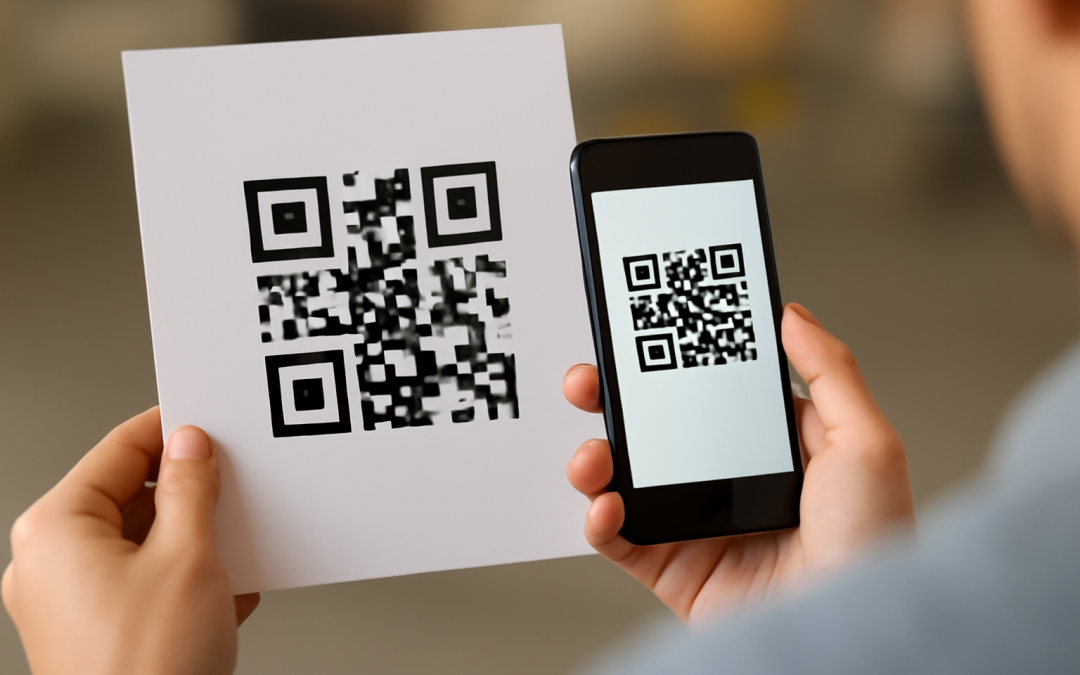
In recent years, the widespread use and recognition of QR codes have transformed the way individuals and businesses interact with digital content, products, and services. This transformation did not happen overnight but rather evolved through a series of technological advancements, changing consumer behaviors, and the growing demand for seamless, contactless interactions. At its core, the rise in the popularity of QR codes can be attributed to their unique ability to bridge the physical and digital worlds effortlessly.
Originally developed in the 1990s by the Japanese company Denso Wave, QR codes were designed as a means to track automobile parts during manufacturing. While their early use was largely industrial and specialized, the potential for wider applications was already apparent. The two-dimensional barcode was capable of storing far more information than traditional barcodes and could be scanned quickly with minimal error. These features positioned QR codes as a versatile tool that could eventually be adapted for a variety of other uses beyond inventory management.
The real surge in QR code popularity began with the proliferation of smartphones equipped with cameras and internet connectivity. As mobile technology advanced, scanning a QR code became a simple and instantaneous process for millions of users worldwide. This ease of use, paired with the ability to quickly deliver relevant information without the need for typing URLs or searching manually, made QR codes an attractive option for marketers, retailers, and service providers aiming to engage consumers efficiently.
Furthermore, the rise of smartphones led to increased expectations for immediate access to digital information. Consumers no longer wanted to be constrained by physical media; instead, they sought to interact with digital content while on the go, whether it was accessing menus, redeeming offers, or connecting to websites. QR codes met this demand by functioning as a direct gateway to digital experiences, enabling brands to deliver tailored content quickly and effectively simply through the act of scanning.
This adaptability found significant acceptance in the retail and hospitality industries. Restaurants began using QR codes to replace traditional paper menus, which not only enhanced the customer experience by providing updated information in real-time but also increased hygiene standards—an aspect that became extremely important during the COVID-19 pandemic. Similarly, retailers incorporated QR codes into product packaging, allowing customers to learn more about the item, check authenticity, or access promotions seamlessly, which helped foster a more interactive relationship between the consumer and the brand.
The pandemic itself acted as a major catalyst that accelerated the adoption and popularity of QR codes across many sectors. The need for touchless transactions and minimized physical contact made QR codes a practical and safe tool for communication and commerce. Whether it was contactless payments, digital menus, health screening forms, or event check-ins, QR codes offered a solution that was not only convenient but also quickly deployable, inexpensive, and easy to integrate into existing operations.
Another important factor behind the widespread embrace of QR codes has been their cost-effectiveness. Unlike many other technologies that require significant investment in hardware or software, generating and using QR codes can be done at minimal cost. Businesses can create and customize QR codes with free or affordable tools, print them on virtually any surface, and reach consumers who already carry compatible devices—smartphones—without requiring additional equipment. This democratization of access has empowered even small businesses to leverage QR codes for marketing, sales, and customer engagement.
The versatility of QR codes extends beyond commercial use, gaining traction in education, healthcare, tourism, and public services. In education, QR codes enable easy access to supplemental learning materials, interactive exercises, and feedback forms. In healthcare, they have facilitated patient check-in processes, access to vaccination records, and dissemination of vital information. Tourists use QR codes to explore historical sites with digital guides, while governments have integrated them into IDs, tickets, and informational signage, all contributing to enhanced efficiency and user experience.
A critical element that supported the popularity of QR codes was the growing focus on data and analytics. By tracking how, when, and where QR codes are scanned, businesses and organizations can gather valuable insights about consumer behavior and preferences. This data-driven approach allows marketers to optimize campaigns, personalize communication efforts, and measure return on investment more accurately. The transparency and immediacy of QR scan tracking have made these codes an attractive tool in an era where data informs strategic decision-making.
Technological improvements in QR code design also contributed to their popularity. Early QR codes were often printed in large black-and-white blocks, which limited aesthetic appeal and creative branding opportunities. Modern QR codes can be embedded into logos, customized with colors, and integrated into attractive visual designs without compromising their functionality. These improvements have allowed brands to maintain consistent identity while harnessing the interactive potential of QR codes, further broadening their adoption in advertising, packaging, and promotional materials.
Global adoption has also been driven by the standardization and interoperability of QR codes. Unlike some proprietary technologies that lock users into specific platforms, QR codes operate across all modern smartphones without the need for extra software. This universal compatibility lowers barriers for consumers and businesses alike, enabling cross-country and cross-industry use cases, whether for payments, information distribution, or access control. The simplicity of QR code technology invites a wide range of stakeholders to participate and innovate.
Moreover, QR codes have increasingly been embraced as part of the move towards sustainability. By reducing reliance on printed materials such as flyers, brochures, and tickets, QR codes contribute to a reduced carbon footprint. Digital transactions and interactions enabled by QR codes help decrease paper waste and printing costs while preserving the environment. Many organizations use this argument to promote their adoption of QR codes as a forward-thinking and eco-friendly practice, which resonates with environmentally conscious consumers.
Security concerns that once limited the use of QR codes have been addressed over time, leading to greater trust and reliability. Early skepticism arose from the possibility of malicious QR codes redirecting users to harmful websites or malware. However, improvements in security protocols, better user education, and enhanced scanning app features now help detect and prevent such threats. Developers continue to work on encryption, authentication, and validation methods that support safer QR code exchanges, which further boosts user confidence.
The ongoing digital transformation in society, driven by evolving consumer habits and the emergence of smart cities and IoT (Internet of Things), also plays a pivotal role in the expansion of QR code usage. Smart devices and connected systems often rely on quick, simple methods to share or access data, and QR codes provide a ready solution. They enable quick configuration of gadgets, facilitate device pairing, and help manage information flows efficiently across numerous platforms, fitting seamlessly into a more connected and interactive world.
Additionally, the role of social media cannot be overlooked in popularizing QR codes. Platforms like Instagram, Snapchat, and TikTok have incorporated QR code features as means to share profiles, send users to promotions, or unlock exclusive content. This creates viral potential for brands and influencers to reach larger audiences through easily scannable codes, blending online and offline engagement. The social sharing aspect of QR codes has helped cement their place not only as a tool for business but also as a part of everyday digital culture.
In summary, the surge in QR code popularity stems from a convergence of technological innovation, changing consumer expectations, and socio-economic factors. Their ability to offer quick, easy, and contactless access to digital content directly from physical objects has created a new standard for interaction across various industries. The transition from niche industrial use to a mainstream communication and marketing tool underscores the importance of QR codes in modern digital ecosystems.
As businesses and consumers continue to seek efficient and meaningful ways to connect in an increasingly digital environment, QR codes stand out as a practical, cost-effective, and secure option. Their flexibility allows for ongoing adaptation in a world where accessibility and immediacy are paramount. Given these advantages, it is clear why they have become an integral part of communication, commerce, and daily life globally, reflecting deeper trends in technology adoption and user behavior.
by admin | Oct 29, 2026 | Tech & Digital
For most people, QR codes have become a familiar sight in daily life—from restaurant menus and retail promotions to event ticketing and contactless payments. Despite their widespread use, the underlying mechanisms that allow these small, square patterns to store and convey a wealth of information remain largely a mystery to many. Understanding how QR codes store information delves into the realms of digital encoding, error correction, and spatial arrangement, revealing a sophisticated system built for efficiency, reliability, and versatility.
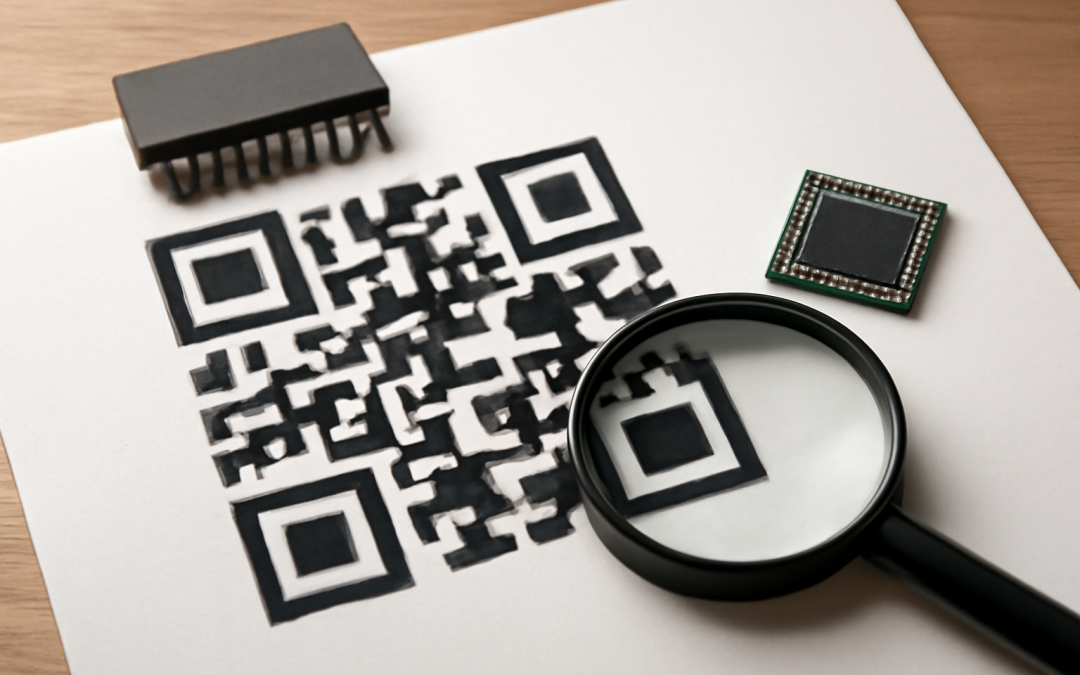
At its core, a QR code is a type of two-dimensional barcode designed to store data in both horizontal and vertical directions. Unlike traditional barcodes, which can only contain information in one dimension (usually a series of lines), QR codes leverage a matrix of square modules to encode significantly larger amounts of information in a compact space. These modules are tiny black and white squares arranged on a grid, and the pattern they form directly represents the encoded data.
The process of how QR codes store information begins with data encoding. The data—whether it’s a URL, text, or other characters—is first converted into a binary format. This means that each piece of information is transformed into a string of 0s and 1s, which can then be mapped onto the QR code’s grid structure. However, it’s not as simple as translating each bit of data into an individual module. Instead, QR codes employ a carefully defined encoding scheme that optimizes both space and readability.
There are several modes of encoding available within the QR code standard, including numeric, alphanumeric, byte/binary, and Kanji, each optimized for different types of data. Numeric mode, for instance, stores numbers compactly by representing three digits with 10 bits, whereas alphanumeric mode can encode letters and some special characters using fewer bits than the byte mode, which supports the entire ISO-8859-1 character set. Choosing the appropriate mode influences how efficiently information is stored and affects the final QR code’s size and complexity.
Once the data is encoded, it’s structured into codewords—units composed of 8 bits each. These codewords are then arranged in a specific pattern within the QR code matrix according to standardized placement rules. Data placement ensures that the encoded information is distributed evenly across the QR code, which helps improve the symbol’s resistance to damage or distortion.
Error correction plays a crucial role in the QR code’s robustness and reliability. QR codes utilize Reed-Solomon error correction algorithms to generate redundant bits that protect the data from errors caused by dirt, damage, or misalignment. This redundancy allows a QR code to be scanned and accurately decoded even if a portion of the code is obscured or missing. There are four levels of error correction—Low (7%), Medium (15%), Quartile (25%), and High (30%)—each dictating the percentage of the code that can be restored if damaged. Selecting a higher level of error correction reduces the data capacity but increases durability.
The QR code’s structure also incorporates several fixed patterns that aid in accurate scanning and decoding. The three large squares found in three corners of the QR code serve as position detection patterns, helping the scanner identify the code’s orientation. Smaller alignment patterns, timing patterns, and format information areas are integrated throughout the matrix to further assist the decoding process. These patterns are essential because they allow scanning devices to quickly locate the QR code, correct any distortion, and decipher the encoded data correctly.
In addition to encoding data and error correction, QR codes also contain version information that indicates the size of the code and the data capacity. There are 40 standard versions of QR codes, ranging from Version 1 with a 21×21 module matrix to Version 40 with a 177×177 module matrix. A larger version can store more information but results in a more complex visual pattern. The version information is stored in fixed locations within the code and helps scanners anticipate how to interpret the data.
The efficiency of how QR codes store information is remarkable, especially considering their size. A standard QR code can hold up to 4,296 alphanumeric characters or up to 7,089 numeric characters, depending on factors like the error correction level and version. This capacity makes QR codes suitable for a wide range of applications, from simple web URLs to complex datasets like Wi-Fi authentication credentials, product details, contact cards, and even encrypted information.
Decoding a QR code involves several steps that mirror the encoding process in reverse. Scanners first detect the position, alignment, and timing patterns to determine the orientation and grid layout. Then, the scanner reads the modules according to the placement pattern, extracting the bits from the matrix. Error correction algorithms examine the extracted bits, correcting any detected errors using the redundant codewords, before finally reconstructing the original data. The decoded information is then often interpreted by an application or browser, making the data instantly accessible to users.
One fascinating aspect of how QR codes store information is their adaptability. The encoding process is flexible enough to incorporate various types of data, change sizes for capacity needs, and adjust error correction levels for resilience. This flexibility is also evident in micro QR codes and model variants tailored for specific uses, allowing for extremely small or customized QR codes while retaining the core encoding principles.
The rise of smartphones equipped with cameras and powerful processing capabilities has dramatically increased the utility of QR codes. These devices can scan and decode QR codes almost instantaneously, facilitating contactless interactions that are both fast and secure. Behind this simple interaction lies the sophisticated information storage system that meticulously balances data density, scan reliability, and robustness.
In an era increasingly driven by the digital exchange of information, the ability of QR codes to store and convey data quickly and accurately has become indispensable. Their design leverages advanced coding theory and error correction to maximize information storage while maintaining ease of use. As technology continues to evolve, QR codes remain a testament to how clever encoding and smart design can transform how we access and share information in everyday life.
Understanding the mechanics of information storage in QR codes not only elucidates why they are so reliable and effective but also opens the door to appreciating the innovative engineering behind a seemingly simple black-and-white square. Their capacity to encapsulate complex data efficiently, withstand damage, and be used universally makes QR codes a powerful tool in the digital communication landscape.
The ingenuity behind how QR codes store information lies in the seamless intersection of mathematics, computer science, and practical design. As industries continue to adopt QR code technology more broadly, the principles behind their information storage ensure that they will remain a cornerstone of quick, reliable data exchange for years to come.
by admin | Oct 28, 2026 | Tech & Digital
In today’s increasingly wireless world, Bluetooth technology has become a staple in connecting a wide array of devices — from smartphones and laptops to headphones, speakers, smartwatches, and even home appliances. Despite its convenience and widespread adoption, users frequently encounter frustrations related to losing Bluetooth connection. This disconnection often disrupts activities such as streaming music, transferring files, or engaging in hands-free calls. Understanding the factors behind these interruptions can help users troubleshoot issues effectively and improve their overall experience with Bluetooth-enabled devices.
One primary reason devices lose Bluetooth connection is interference from other wireless signals. Bluetooth operates within the 2.4 GHz frequency band, a spectrum shared by many common wireless technologies such as Wi-Fi networks, microwave ovens, cordless phones, and even baby monitors. When multiple devices are emitting signals within this crowded frequency range, they can cause signal overlap and congestion, leading to a degraded or lost Bluetooth connection. The interference can vary in intensity depending on the environment, the distance between the devices, and the number of other active wireless devices nearby.
Distance is another critical factor in connection reliability. Bluetooth technology has different classes, each defining its effective range. Class 2 devices, the most common in consumer electronics, typically have a range of about 10 meters (33 feet). When these devices are moved beyond their effective range, the signal strength weakens and, eventually, the connection drops. Physical obstacles such as walls, furniture, or even the human body can further reduce the effective range by absorbing or reflecting the Bluetooth signals. The more barriers between two communicating devices, the more likely they are to lose connection.
Battery levels in either of the devices involved in the Bluetooth pairing can also impact the stability of the connection. Many devices reduce power consumption when battery levels are low, which may limit the strength of their Bluetooth signals or temporarily disable certain wireless functions. For example, wireless earbuds with depleted batteries might disconnect unexpectedly, or a smartphone with a low battery might prioritize conserving power by reducing Bluetooth activity. Consistently ensuring that both the sender and receiver have adequate battery life can mitigate some disconnection issues.
Software and firmware bugs are common culprits as well. Bluetooth communication protocols rely on proper software implementation on both sides of the connection, and any glitches, outdated versions, or incompatibility issues can result in loss of connection. Device manufacturers frequently release updates to fix known bugs and improve the overall Bluetooth experience. Without timely updates, users might find their devices struggling to maintain stable connections or even failing to pair altogether. Similarly, devices from different manufacturers may not always adhere to the same standards fully, causing intermittent disconnections or signal drops.
The initial pairing process is also crucial in maintaining a reliable Bluetooth connection. When devices are paired, they exchange authentication details and establish trusted communication pathways. If this pairing is not done correctly, or if the device forgets its pairing information due to resets or software issues, it can lead to recurring connection losses. Re-establishing a fresh pairing often resolves persistent disconnects. However, if multiple devices are paired simultaneously with one device, conflicts may arise. For instance, a smartphone paired with several Bluetooth accessories at once might struggle to maintain stable connections with all of them, particularly if those accessories attempt to connect automatically.
Environmental factors play a subtle yet significant role in connection stability. For example, metallic surfaces tend to reflect Bluetooth signals, causing multipath interference where signals bounce around before reaching the receiver, which can confuse the connection and increase latency or cause drops. On the other hand, materials like concrete, brick, and dense wood absorb signal strength, weakening the connection at various points. Indoor settings with multiple rooms or floors present more obstacles compared to open spaces, resulting in more frequent disconnections. Similarly, crowded areas with many Bluetooth devices potentially create more competition for the frequency spectrum, exacerbating the issue.
Another technical limitation relates to bandwidth and data rate. Bluetooth was initially designed for relatively low-bandwidth tasks, such as connecting keyboards or transmitting audio at moderate quality. However, modern applications demand higher data rates, leading newer versions of Bluetooth to expand capabilities. Despite these improvements, certain devices might still struggle when transferring large files or streaming high-fidelity audio, causing temporary connection drops as the device attempts to adapt or renegotiate parameters. In such cases, connection loss could be symptomatic of overburdened hardware or software trying to maintain performance under high load.
The role of Bluetooth profiles—the specialized sets of rules governing how different kinds of devices communicate—cannot be overlooked either. Depending on the type of device being connected (headset, health monitor, keyboard, etc.), different Bluetooth profiles come into play. Some profiles require continuous data exchange, while others operate intermittently. A mismatch or failure in properly implementing these profiles on either side of the connection can cause the devices to lose synchronization and thus lose connection intermittently. This is particularly relevant when trying to connect to older devices that may not support newer profiles or vice versa.
User behavior can also directly contribute to Bluetooth connection issues. For example, frequently toggling Bluetooth on and off, moving out of range repeatedly, or switching between multiple paired devices in quick succession can confuse the software stacks managing the connections. Additionally, improper use of power-saving modes that shut down Bluetooth radios during inactivity may cause delays in reconnection or unintended disconnection if the user is not aware of such features. Awareness of how device settings and usage patterns affect Bluetooth performance is often a quick way to avoid many disconnects.
Security features and encryption also play a part in connection stability. Bluetooth connections use encryption protocols to prevent eavesdropping, but issues in the encryption handshake or key mismatches can interrupt established connections. While these occurrences are less common, they may still manifest in environments with frequent pairing and unpairing or with devices that have not been properly secured. In some cases, devices that have been configured with overly restrictive security settings may refuse to maintain connections with less secure devices, leading to dropped connections during exchanges.
As Bluetooth technology evolves, new standards like Bluetooth 5.0 and later versions have addressed many previous limitations, offering improved range, speed, and interference resistance. Nonetheless, many older devices still in use are based on legacy standards that make them inherently more prone to losing connections under certain scenarios. Compatibility between different versions of Bluetooth can sometimes be imperfect, which causes instability when pairing new and old devices. Though newer multichannel and adaptive frequency hopping techniques help reduce interference, this is still not a guaranteed remedy when hardware and software are mismatched.
Another element to consider is the operating system’s role in managing Bluetooth connections. Whether on a smartphone, tablet, or computer, the OS driver and Bluetooth stack are responsible for maintaining the link, managing pairing information, and handling audio or data transmission. Bugs or inconsistencies at this software layer may cause connection drops, especially after updates or when drivers become corrupted. Restarting the device, resetting Bluetooth settings, or reinstalling drivers can sometimes restore stable connection by resolving conflicts or clearing cached errors.
Environmental electromagnetic noise outside of consumer devices can also affect Bluetooth reliability. Industrial environments with heavy machinery, radio broadcasting stations, or even some types of lighting fixtures can create electromagnetic interference strong enough to disrupt Bluetooth communications. While this is less common in residential or office setups, users working in proximity to such equipment might experience frequent dropped Bluetooth connections despite following all the best practices for maintaining distance and minimizing interference.
Physical damage or hardware defects in either Bluetooth transmitter or receiver cause persistent connectivity issues as well. The small antennas inside devices can become loose, connectors may corrode, or internal circuitry may fail over time. Such hardware-related problems often manifest as frequent disconnections, inability to pair, or weak signal strength even at close range. Diagnosing these problems usually requires technical inspection and, in some cases, hardware repair or replacement.
When dealing with critical Bluetooth devices such as wireless headphones used for calls or fitness trackers that monitor health data, consistent connection becomes imperative. For these use cases, proactive maintenance such as keeping firmware updated, minimizing interference by relocating devices, ensuring good battery management, and maintaining proper pairing procedures is highly recommended. Users should also be aware of the limitations of their devices and set appropriate expectations about range and reliability to avoid unnecessary frustration.
Some modern devices incorporate mechanisms like reconnect attempts or connection recovery protocols, which automatically try to re-establish a lost Bluetooth connection without user intervention. While these features improve user experience, they can sometimes behave unpredictably in environments with severe interference or pairing conflicts. Understanding how these mechanisms work allows users to tweak device settings or workflows to optimize connection stability.
In multi-device environments, managing Bluetooth connections becomes more challenging. Devices like smartphones, laptops, smart TVs, and smart home hubs often have to juggle numerous Bluetooth connections simultaneously. When too many devices try to hold active connections, the available bandwidth for Bluetooth can be strained, causing unexpected drops or degraded performance. Reducing the number of simultaneously active Bluetooth devices or disabling unused connections can often improve overall connectivity.
Beyond typical consumer devices, Bluetooth has a growing presence in industrial and healthcare applications, where losing a connection can have serious implications. These specialized uses often rely on custom protocols, dedicated frequencies, or enhanced hardware to guarantee more robust connections. Understanding the distinctions between these enhanced Bluetooth implementations and standard consumer-grade devices sheds light on why some connections are more stable than others.
Ultimately, the root causes behind a device losing Bluetooth connection are multifaceted. They encompass fundamental technological constraints, physical and environmental factors, software or hardware faults, and user habits. By systematically assessing each possible cause, users can pinpoint the specific issue impacting their Bluetooth connectivity and apply appropriate solutions, whether that involves adjusting physical placement, updating software, resetting devices, or limiting interference. With ongoing advancements in Bluetooth standards and device design, the frequency of disconnections is expected to decline, but immediate improvements often come from informed troubleshooting and mindful device management.
The reliability of Bluetooth connectivity is integral to the seamless experience of many modern gadgets. While occasional disconnections are sometimes unavoidable due to the inherent nature of wireless communication, much can be done to minimize interruptions. A balanced understanding of technical specifications, environmental conditions, and user behaviors combined with proactive device upkeep can significantly enhance the stability of Bluetooth connections, allowing users to enjoy the full convenience and flexibility that wireless technology promises.

by admin | Oct 27, 2026 | Tech & Digital
In today’s world of wireless connectivity, the ability to seamlessly link devices has become an essential part of everyday life. Many people take it for granted that their smartphone, headphones, speaker, or wearable technology can easily communicate with one another without cumbersome wires. This ease of interconnection is largely thanks to a fundamental technology known as Bluetooth. Understanding how Bluetooth pairing works not only demystifies this invisible process but also provides insights into how our devices establish secure and reliable connections in mere moments.
At its core, Bluetooth pairing is a protocol that allows two electronic devices to establish a trusted, wireless connection using radio waves. Unlike Wi-Fi, which connects devices over a local network, Bluetooth facilitates direct device-to-device communication over relatively short distances—typically up to 30 feet or about 10 meters—using a low-power frequency band around 2.4 GHz. While Bluetooth technology has evolved significantly since its debut in the late 1990s, the fundamental pairing process remains central to establishing a secure link between devices before data transfer or audio streaming can take place.
The process begins when two devices detect one another’s presence. This is referred to as device discovery or inquiry, where one device, commonly called the “master” or “calling device,” searches for nearby Bluetooth-enabled devices that are set to discoverable mode. The role of the second device is usually that of the “slave” or the device being connected to. During this phase, devices broadcast their unique identification information, including their Bluetooth addresses and device class, which indicate the type of device and its capabilities. The user may see a list of available devices pop up on their screen, allowing them to choose which device to pair with.
After selecting a device to connect, the two devices enter the pairing phase, which involves authentication and establishing trust. The purpose of this phase is to ensure that the connection is secure and that only authorized devices can communicate with each other. One of the most common methods of authentication during Bluetooth pairing is the use of a “passkey” or PIN code. This can be a simple numeric code that the user must enter on both devices or confirm if it appears as a prompt. In many modern devices, a process called “Just Works” pairing is also available, where no user input is needed, although this method is generally less secure because it does not verify the identity of the paired device rigorously.
The exchange of cryptographic keys during the pairing phase is what ultimately secures the connection. Bluetooth devices use a technique called link key generation to establish a shared secret key that encrypts communications between them. This key is generated based on factors such as the devices’ MAC addresses and the passkey entered during pairing. By encrypting the data transmitted over the wireless channel, Bluetooth provides protection against eavesdropping, ensuring that the information exchanged remains confidential and protected from potential attackers.
Another important aspect of Bluetooth pairing is the concept of bonding. Once two devices successfully pair and authenticate, they can create a bond, which is essentially a stored set of cryptographic keys and trusted profiles that allow subsequent reconnections to occur automatically and swiftly. For instance, after the initial pairing process, wireless headphones will reconnect to a smartphone without requiring the passkey to be entered again. This provides a seamless user experience while maintaining security by keeping the devices recognized and trusted over time.
The Bluetooth standard has undergone multiple iterations, each bringing improvements to the pairing process. Bluetooth 2.1 introduced Secure Simple Pairing (SSP), which enhanced security and usability by eliminating the need for complex passcodes in most cases. This version introduced different association models tailored to various device types, including Just Works, Numeric Comparison, Passkey Entry, and Out-of-Band (OOB) pairing. OOB allows devices to exchange pairing information using an alternative communication method, like NFC, adding an additional layer of security during the initial key exchange.
Later versions, including Bluetooth 4.0 and beyond, introduced Bluetooth Low Energy (BLE), enabling devices with minimal power consumption to participate in the Bluetooth ecosystem. BLE devices have a slightly different approach to pairing and security but still rely on a similar underlying principle of key exchange and authentication. Features such as Secure Connections, introduced in Bluetooth 4.2, use elliptic curve cryptography to offer robust protection against passive eavesdropping and active man-in-the-middle attacks, raising the overall security bar substantially.
While the benefits of Bluetooth pairing abound, there are also challenges that can arise during the process. One common issue is the requirement for devices to be in close proximity, as signal interference or distance beyond the typical range can cause connection attempts to fail. Additionally, some devices might not enter the right discoverable mode, or users may struggle with incorrect passkeys or PIN codes, particularly when devices rely on manual entry. Manufacturers aim to simplify this by creating intuitive user interfaces and supporting automatic connections where appropriate, but users sometimes need to troubleshoot or reset connection settings.
Security remains a paramount concern in Bluetooth pairing. Because Bluetooth operates over an open wireless medium, it can be vulnerable to attacks if certain precautions are not taken. For instance, attackers may attempt to perform “bluejacking,” where unsolicited messages are sent to nearby devices, or “bluesnarfing,” which involves unauthorized access to data stored on a Bluetooth-enabled device. These attacks exploit weaknesses in older devices or older Bluetooth versions that lack updated security measures. This risk reinforces the importance of keeping devices’ firmware up to date and being cautious about accepting pairing requests from unknown sources.
In addition to traditional use cases like connecting headphones or keyboards to smartphones and computers, Bluetooth pairing has expanded into areas such as the Internet of Things (IoT). Smart home devices, wearable fitness trackers, medical monitoring gadgets, and even automotive systems rely heavily on Bluetooth connections for real-time data transmission and control. In these applications, pairing becomes a critical step in ensuring devices operate harmoniously within an ecosystem, providing users with convenience and interoperability across multiple devices and brands.
The user experience during Bluetooth pairing has become increasingly streamlined thanks to ongoing innovations. Modern smartphones and computers often automatically detect compatible devices and prompt users with easy-to-follow instructions or even bypass manual inputs through techniques like Near Field Communication (NFC) tap-to-pair, QR code scanning, or voice prompts. These advances make it effortless for even non-technical users to create secure connections quickly, thereby enhancing the overall appeal and usability of Bluetooth-enabled products.
In summary, the process of Bluetooth pairing is a carefully designed dance between devices to establish a secure and trusted communication channel over short distances. It involves discovery, authentication, encryption, and bonding steps that ensure usability without compromising security. As technology advances, Bluetooth pairing will continue to evolve, focusing on enhanced security, reduced power consumption, and improved convenience. Whether it’s connecting your earbuds to your phone or syncing multiple smart gadgets in your home, the underlying mechanics of how Bluetooth pairing works remain a fascinating blend of wireless communication principles, cryptography, and user-friendly design. This intricate interplay ensures the wireless connections we rely on remain seamless, safe, and instant.
by admin | Oct 26, 2026 | Tech & Digital
Every electronic device that we use today, from smartphones and laptops to smart home appliances and even automobiles, relies heavily on an underlying layer of software known as firmware. This specialized software is embedded directly into hardware components to control their functions, manage operations, and ensure that everything works cohesively. Over time, manufacturers release firmware updates to enhance device performance, fix issues, and adapt to emerging requirements. Understanding why devices need firmware updates is crucial for appreciating the ongoing maintenance that keeps modern technology secure, efficient, and user-friendly.
Firmware acts as the central command center within devices, bridging the gap between hardware and higher-level software. Unlike applications or operating systems that can be updated frequently, firmware updates are less common but carry significant implications. These updates often involve reprogramming a device’s integral chipsets to improve functionality or address vulnerabilities. Without these updates, devices might struggle to handle new demands or become more susceptible to security threats that evolve alongside technology.
One compelling reason devices need firmware updates is to improve security. As technology advances, so do the methods used by cybercriminals to exploit vulnerabilities. Firmware flaws can provide attackers with backdoor access to a device, potentially compromising personal information or allowing unauthorized control. Regular firmware updates patch security holes and reinforce defenses against malware, ransomware, and hacking attempts. They are vital in ensuring that devices can withstand the sophisticated tactics employed by malicious actors seeking to disrupt or exploit systems.
Beyond security, firmware updates enhance device performance by optimizing how hardware components operate together. The manufacturers continually analyze how devices perform in real-world conditions and identify areas where efficiency can be improved. Updates can refine communication protocols between components, reduce energy consumption, or accelerate processing speeds. Without these refinements, devices could become sluggish, drain batteries prematurely, or fail to deliver the promised user experience.
Firmware updates also play an essential role in fixing bugs and resolving compatibility issues. Even the most carefully designed hardware and software setups can encounter unforeseen problems once released into diverse environments. Users might experience crashes, erratic behavior, or feature malfunctions due to software bugs that weren’t detected during initial development. Firmware patches allow these problems to be addressed without needing physical repairs or replacements. Additionally, as new peripherals or accessories are introduced, firmware updates help maintain compatibility, ensuring that users can connect and use new devices seamlessly.
Another important aspect of firmware updates is enabling new features or expanding existing functionalities. As consumer demands evolve and technology progresses, manufacturers often find ways to enhance their devices beyond the original specifications. Through firmware upgrades, devices can gain support for additional standards, improved user interfaces, or novel capabilities. For example, a smart thermostat might receive updates that allow more granular temperature control or integration with new smart home ecosystems. This ability to extend the lifespan and usefulness of devices through software changes adds substantial value for users.
The process of delivering firmware updates varies depending on the device and manufacturer but generally aims to be as smooth and user-friendly as possible. Many modern devices receive automatic updates over the air, meaning users are notified when a new firmware version is available and can install it with minimal effort. This convenience encourages more widespread adoption of critical updates, helping maintain overall system integrity. In contrast, older devices might require users to manually download and install firmware patches, which can be more cumbersome but remains essential for staying current.
Despite its importance, firmware updates can sometimes be met with resistance or hesitation from users. Concerns about update failures, interruptions, or unfamiliar changes to device behavior can cause anxiety. However, manufacturers extensively test firmware updates to minimize risks and provide recovery options in case something goes wrong. In many cases, the benefits of installing updates far outweigh potential drawbacks. Neglecting these updates can leave devices vulnerable or outdated, reducing both security and functionality over time.
Firmware updates also support regulatory compliance and industry standards, ensuring devices meet legal and safety requirements. As governments and organizations introduce new guidelines related to data privacy, wireless communication, or emissions standards, firmware changes help devices align with these evolving rules. This adherence is crucial not only for protecting consumers but also for manufacturers to continue marketing their products globally. Updates often incorporate necessary adjustments that enable devices to pass inspections or audits, allowing uninterrupted operation within regulated markets.
Moreover, in some cases, firmware updates can restore or repair devices that have become unresponsive or damaged due to software issues. Known as firmware reflashing, this process can revive devices by reinstalling the core software necessary for startup and operation. It is an indispensable tool for technicians and end-users alike to troubleshoot and repair equipment without resorting to hardware replacement. Such capabilities underscore how firmware management contributes to sustainability by reducing electronic waste and extending device lifespans.
Understanding the complexity and significance of firmware updates underscores the critical relationship between hardware and software in modern electronics. Devices are no longer standalone objects but dynamic platforms dependent on continuous development and maintenance. The ongoing release of firmware updates reflects the dedication of manufacturers to enhance user experiences, defend against threats, and innovate in rapidly changing technological landscapes. As a result, regular attention to firmware updates should become an integral part of responsible device ownership.
In conclusion, firmware updates are essential for safeguarding, boosting, and evolving the performance of electronic devices. They address security vulnerabilities, rectify malfunctions, improve efficiency, enable new features, and ensure regulatory compliance. The firmware acts as the foundational software that shapes how hardware operates, making these updates integral to maintaining control, stability, and advancement. Users who prioritize timely firmware installation help guarantee that their technologies remain secure, reliable, and equipped to meet the demands of an ever-changing digital world.
by admin | Oct 25, 2026 | Tech & Digital
In the vast landscape of digital technology, terms like firmware and software are often used interchangeably, yet they represent distinct components that serve different functions within electronic systems. Understanding how firmware differs from software is fundamental for anyone seeking a deeper grasp of how modern devices operate. While both firmware and software refer to sets of instructions that control computer hardware, their roles, complexity, permanence, and interaction with hardware vary in significant ways. This article explores these differences in detail, offering insights into the nuanced relationship between these critical elements.
At its core, software refers to the programs and operating information used by a computer or other electronic devices. It is the broad category encompassing everything from operating systems to applications, utilities, and games. Software runs on a device’s hardware and can be changed, updated, or removed easily by the user or through automated systems. It operates at a higher level of abstraction, often requiring a fully functional operating system or runtime environment to execute. Examples of software include Microsoft Word, video editing programs, web browsers, and mobile apps.
Firmware, on the other hand, is a specialized subset of software that provides low-level control for a device’s specific hardware. It resides in non-volatile memory, such as ROM, EEPROM, or flash memory, and is closely tied to the physical components it manages. Unlike general-purpose software, firmware is designed to be a permanent or semi-permanent part of a device’s hardware architecture. It initializes hardware components during the boot-up process and ensures that the device operates correctly by managing essential, hardware-specific tasks. For example, the firmware embedded within a smartphone’s baseband processor governs its communication functions, while the firmware on a computer’s motherboard initiates the hardware startup sequence and prepares the system for the operating system.
One of the defining characteristics that distinguishes firmware from software lies in its level of permanence and how it is updated. Firmware is typically installed during the manufacturing process and is not intended to be changed frequently. However, many modern devices allow firmware updates to fix bugs, improve performance, or add new features, but these updates must be performed carefully. Incorrect or failed firmware updates can render a device inoperable, a risk much less associated with standard software updates. Software, conversely, is inherently dynamic, with users or developers routinely modifying, upgrading, or uninstalling programs.
The scope of functionality managed by firmware also differs considerably from that of software. Firmware operates at a very fundamental level, serving as an intermediary between the hardware and the higher-level software applications. It provides crucial instructions that allow hardware components to communicate and function coherently. For example, the firmware inside a printer controls the printer’s mechanical functions and translates software print commands into hardware actions. Meanwhile, software runs at a much higher level, performing complex user-driven tasks, processing data, and offering interactive interfaces.
Another important distinction is related to the storage locations and memory utilization for firmware and software. Firmware is stored in memory that remains intact even when power is removed, such as flash memory or read-only memory modules. This persistence ensures that the device’s essential instructions are always available during power-up. Software is typically stored on volatile or mass storage devices like hard drives, solid-state drives, or cloud platforms. While software must be loaded into the computer’s RAM from these storage locations to execute, firmware commands are readily accessible to the processor from their embedded locations without the need for a loading process.
The development processes for firmware and software also differ in complexity and constraints. Firmware development involves an intimate understanding of hardware specifications, electronics, and often lower-level programming languages like assembly or C. Developers must address precise timing, memory constraints, and hardware resource limitations. The emphasis is on stability, real-time performance, and error-free operation since firmware errors have direct consequences on the hardware’s functionality. Software development is usually more flexible, with greater scope for creativity and innovation, particularly in application design and user experience. Software developers leverage high-level languages, frameworks, and tools with fewer restrictions imposed by hardware limitations.
Security concerns add another layer to the distinction between firmware and software. Firmware security is critical because it gains control over the system at its most fundamental level. Malicious alterations to firmware—known as firmware hacks or rootkits—can compromise an entire device, persistence to reboots and often evading detection by conventional antivirus solutions. As a result, firmware updates are guarded by stringent cryptographic protections and validation mechanisms. Software security, while equally vital, operates at a level where threats can be managed through patches, firewalls, and antivirus software, and infected programs can typically be replaced or reinstalled without permanent damage to the underlying hardware.
User accessibility and interaction with firmware versus software also reveal key differences. Users typically interact directly with software through graphical user interfaces, command lines, or touchscreens. Firmware, however, operates largely invisibly to the end user. It works behind the scenes, without user input in day-to-day operations. For example, while users manipulate apps on a smartphone, the firmware ensures the device powers on correctly, manages battery charging safely, and controls hardware peripherals like cameras and sensors. Occasionally, users might interface with firmware through setup menus or BIOS/UEFI settings on computers, but such interaction is limited and often intended for advanced users or support technicians.
The economic and lifecycle perspectives provide further clarity on how firmware differs from software. Firmware development and deployment often come with higher upfront costs due to the complexity and precision required in its creation. Once embedded, firmware is expected to remain effective for the lifespan of the device, warranting rigorous testing and validation before release. Software often follows shorter development cycles with frequent updates and versions, reflecting changing user needs, security patches, and technological advancements. This dynamic nature allows software to evolve rapidly and continuously improve, whereas firmware updates are more deliberate and infrequent.
A practical example to illustrate these distinctions can be found in consumer electronics such as digital cameras. The firmware inside the camera controls hardware components like the lens motor, image sensor, and flash timing, enabling foundational operations such as autofocus and image capture. The software, in contrast, manages the user interface, photo editing capabilities, file management, and connectivity options like Wi-Fi or Bluetooth sharing. While firmware updates can add features or fix hardware compatibility issues, the software can be entirely replaced or supplemented by installing new applications or drivers.
In industrial environments, this differentiation becomes even more critical. Embedded systems in manufacturing equipment, medical devices, automotive control units, and networking hardware depend heavily on firmware to guarantee reliable and predictable operation. Software serves as the operational interface layer, data processing engine, or remote control mechanism. Misunderstanding these distinctions can lead to improper maintenance or operational strategies that jeopardize device integrity or compliance with safety protocols.
When it comes to interoperability, firmware and software maintain a collaborative relationship but function in separate realms. Firmware establishes a stable, predictable hardware environment that software depends on to execute effectively. Without reliable firmware, software applications would struggle to interact with hardware components consistently or safely. Likewise, software provides the dynamic, flexible functionalities that bring value and usability to hardware devices, allowing customization, updates, and integration with broader systems.
Technological advances continue to blur the lines between firmware and software in some cases, especially with increasing device connectivity and the rise of the Internet of Things (IoT). Modern IoT devices often receive frequent over-the-air firmware updates aimed at enhancing security and adding new capabilities. These updates require sophisticated support systems, secure delivery mechanisms, and fallback options in the event of failures. Despite these evolving practices, the fundamental distinctions between firmware’s low-level, hardware-focused role and software’s higher-level, user-facing functions remain intact.
Understanding how firmware differs from software is vital for developers, system administrators, IT professionals, and end-users alike. It informs decisions about device maintenance, troubleshooting, security practices, and system upgrades. Recognizing that firmware is the persistent, intimate layer controlling hardware behavior helps explain why firmware attacks can be so insidious and why firmware integrity is paramount. At the same time, appreciating software’s flexibility and user-centric design explains why it evolves so quickly and requires regular updates to remain relevant and secure.
In summary, while firmware and software are both critical types of code that dictate how electronic devices function, they occupy different niches in the technological ecosystem. Firmware serves as the foundational, hardware-specific layer embedded within devices, providing essential control functions and stability. Software, on the other hand, operates on top of firmware and hardware, offering versatile, user-driven applications and services. Together, they create the complex, interactive experiences that define modern digital life, but their unique characteristics, roles, and operational constraints must be clearly understood to harness their full potential effectively.