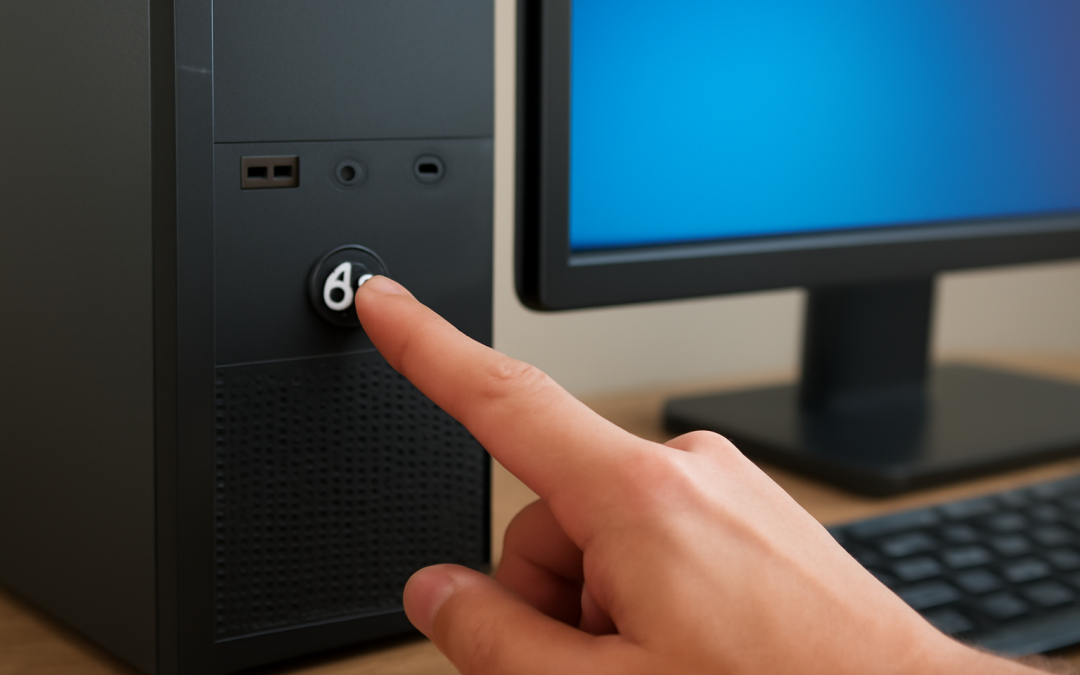
When you press the power button on a computer, an intricate and carefully orchestrated process begins. This sequence of events transforms an inert machine into a responsive, fully operational device ready to perform a vast array of tasks. Despite its complexity, this process happens in just a few seconds, often invisible to the user, yet it involves numerous components and layers of software working in harmony. Understanding how computers start up reveals the fascinating interaction between hardware and software that underpins nearly all modern technology.
The very first step in this journey occurs as soon as the power supply delivers electricity to the motherboard. This electrical current triggers a circuit called the Power-On Self-Test (POST), a diagnostic routine embedded in the computer’s firmware. The BIOS (Basic Input/Output System) or its modern counterpart, UEFI (Unified Extensible Firmware Interface), manages this initial test, checking critical hardware components such as RAM, the processor, and storage devices for errors. This ensures the system’s integrity before continuing, preventing the computer from starting if major faults are detected. During this stage, you may see a manufacturer’s logo appear or hear beeping sounds indicating the results of the POST.
Once the computer has verified that the hardware is functioning correctly, the next phase involves preparing the system to load the operating system. The BIOS or UEFI locates the boot device—a storage medium containing the operating system files—using a predetermined priority list usually configurable by the user. This device could be a hard drive, a solid-state drive, a USB flash drive, or even a network location. The firmware reads the first sector of the boot device, known as the boot sector or Master Boot Record (MBR) on traditional systems, or the GUID Partition Table (GPT) in modern systems, and transfers control to a small program called the bootloader.
The role of the bootloader is crucial because it acts as a bridge between the firmware’s low-level hardware initialization and the operating system’s needs for a complex environment. Early bootloaders are minimalistic owing to storage constraints but highly efficient. They locate the core OS files and load the kernel—the central part of the operating system—into memory. From this point, the kernel takes over, initializing core system functions and managing resources such as the CPU, memory, and input/output devices. Depending on the system configuration, users may interact with a boot menu at this stage, giving options to select different operating systems or recovery modes.
Once the kernel is loaded, the operating system begins to prepare the system environment for user interaction. This phase is often referred to as the “bootstrapping” process, where essential system services and background processes start running. These services include components responsible for managing hardware drivers, which communicate directly with components like the graphics card, keyboard, and network adapters. The startup process also includes initializing the file system, essential for accessing stored data and programs reliably.
More sophisticated operating systems, such as Windows, Linux, or macOS, use a structured service manager system to handle the initiation of system services. For example, Windows uses the Service Control Manager, while many Linux distributions utilize systemd or init. These managers handle dependencies between services, ensuring that critical functions like networking or user authentication are available when needed. During this phase, the system may also start antivirus programs, system monitoring tools, and customized scripts designed to optimize performance or security.
As the operating system continues to load, control moves toward launching the graphical user interface (GUI), which is the visual environment users see and interact with daily. This process involves starting a display server or window manager, which organizes how windows, icons, and menus appear on the screen. The GUI layer transforms the computer from a complex machine requiring text-based commands into a user-friendly device accessible to a broad audience. The graphical environment relies on various drivers and middleware to translate software commands into output visible on the monitor and to interpret user inputs from devices like a mouse or touchscreen.
Once the GUI is active, system programs begin loading user-specific configurations, applications, and preferences. This includes everything from desktop background settings and personalized menus to startup applications such as email clients, cloud synchronization tools, or messaging programs. These components prepare the computing environment to reflect the habits and needs of the individual user. At this point, the computer becomes fully functional, capable of running a wide range of software applications and accessing network services.
It is important to recognize that this startup process differs somewhat depending on the type of computer and its underlying architecture. For instance, traditional personal computers based on x86 architecture have a different boot sequence than those using ARM processors found in many mobile devices and modern laptops. ARM-based systems often incorporate additional security measures during boot, such as secure boot and hardware-backed encryption, to prevent unauthorized code from running. This heightened security environment is essential for maintaining system integrity, especially in devices connected to the internet.
In recent years, the evolution of firmware technology has introduced several improvements to the startup process. UEFI, which has largely replaced the older BIOS system, offers faster boot times, support for larger storage devices, and a more flexible and modular environment for firmware developers. UEFI interfaces often include graphical menus, mouse support, and networking capabilities, enhancing user interaction during boot configuration. Furthermore, UEFI supports secure boot, a technique that verifies the authenticity of each component loaded during startup, reducing the risk of malware compromising the boot process.
The startup process also includes important recovery capabilities in case something goes wrong. Many operating systems provide specialized recovery environments accessible during boot. These environments allow users and technicians to troubleshoot problems such as corrupted system files, driver conflicts, or malware infections. Recovery modes might include options to restore the system to an earlier state, access command-line tools for manual repair, or reinstall the operating system without affecting personal data. Such tools underscore the importance of designing a boot process not only for performance and functionality but also for resilience and repairability.
While much of the startup process is automatic and does not require user intervention, users occasionally interact with this sequence to make specific adjustments. Accessing the firmware setup utility, usually by pressing keys such as F2, Delete, or Esc during early startup, allows users to configure hardware settings, change boot order priority, enable or disable security features, and update the firmware itself. These options are vital for advanced troubleshooting, upgrading hardware, or customizing the behavior of the system according to individual preferences and requirements.
Beyond personal computers, the principles behind startup sequences apply across a wide spectrum of computing devices, from smartphones and tablets to servers and embedded systems. Each device adapts the core concept—a self-test of hardware, loading of system software, and preparation of a user environment—to meet its performance, security, and usability goals. For example, data centers running vast server farms employ sophisticated boot management systems that enable rapid deployment, configuration over the network, and automated recovery, illustrating how scalable and flexible this process has become.
One particularly intriguing area of development is the rise of instant-on and always-on computers designed to minimize the startup time to nearly zero. These devices employ technologies such as hybrid sleep states, solid-state drives for rapid data access, and firmware optimizations that preserve much of the system’s state even after shutdown. This marks a significant shift from traditional boot paradigms, where the user had to wait several seconds or even minutes before gaining access to the device. As technology advances, the line between shutdown and sleep states blurs, making startup increasingly seamless.
Security has become an overriding focus during the startup phase in modern systems. Various protections ensure that only trusted software components load, safeguarding users from rootkits and firmware-level malware that can be particularly insidious. Secure boot mechanisms verify digital signatures of critical startup files, and systems may employ Trusted Platform Modules (TPM) to store encryption keys and perform hardware-based attestation. These measures protect sensitive information and maintain system integrity against sophisticated attacks targeting the earliest stages of operation.
Understanding the intricacies of this process also sheds light on why computers sometimes fail to start properly. Failures during the Power-On Self-Test can indicate defective hardware, while bootloader problems might result from corrupted system partitions or malware infections. User-configured changes to firmware settings or incompatible driver updates can cause startup loops or freezes. Having insight into the startup sequence enables both users and technicians to diagnose and resolve issues more effectively, using tools such as boot logs, firmware indicators, and recovery environments.
In conclusion, the startup of a computer is much more than a simple push of a button; it is a finely tuned ritual that blends hardware initialization and software loading into a seamless experience. From the initial moment power flows into circuits, through firmware tests, bootloader execution, kernel activation, service initialization, and finally the loading of user environments, every step is critical to delivering a system that is stable, secure, and responsive. As technology continues to evolve, so too will the mechanisms that bring our devices to life, ensuring faster startup times, enhanced security, and greater flexibility. The complexity hidden behind that brief startup moment illustrates the marvel of modern computing engineering and the sophistication that powers our everyday digital experiences.