In the world of digital media, color accuracy is paramount. Whether you are a photographer editing images, a designer creating visual content, or a videographer color grading footage, ensuring consistent and true-to-life colors can make or break your work. The process that enables this precision is digital color calibration—a methodical adjustment of devices to produce colors that match a defined standard. Without proper calibration, what you see on one screen can differ drastically from what appears on another, leading to errors, misinterpretations, and a lack of professionalism.
Digital color calibration involves aligning the color display of devices such as monitors, printers, and cameras with a recognized color space. This ensures that the hues, brightness, and contrasts you intend are accurately rendered across different devices and mediums. It’s a foundational practice for anyone serious about digital imagery because it fosters consistency throughout a production pipeline, from initial capture to final output. Understanding the basics of digital color calibration empowers users to maintain color fidelity, ultimately enhancing the quality and reliability of their visual projects.
At the core of digital color calibration lies the concept of color spaces and profiles. A color space is a specific organization of colors, often represented as a three-dimensional model, used to describe the range of hues and intensities a device can reproduce. Common color spaces include sRGB, Adobe RGB, and ProPhoto RGB, each varying in the gamut or range of colors they cover. Devices interpret color data using these spaces, and a profile is a set of data that characterizes a device’s color output within a particular color space. Profiling devices ensures that when an image is created or edited, the colors remain true to the creator’s vision regardless of the viewing environment.
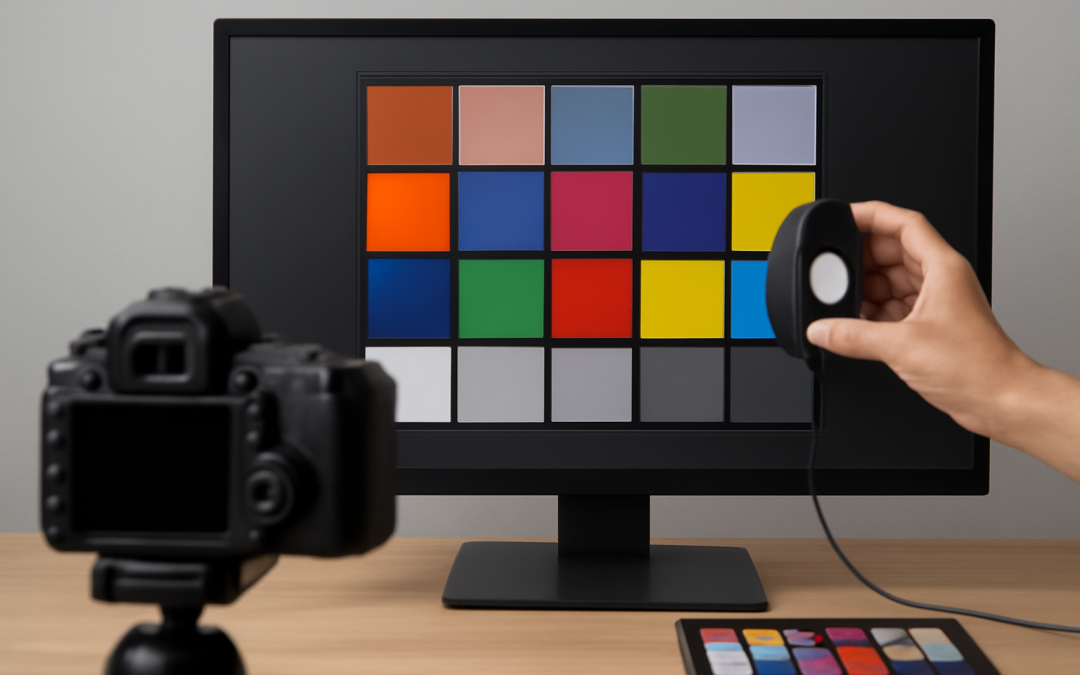
To begin the calibration process, a measurement device called a colorimeter or spectrophotometer is essential. These tools assess the colors displayed on a monitor or printed by a printer by measuring the light emitted or reflected. The device connects to calibration software that compares the measured colors against the target color standards. This feedback loop allows the software to generate a custom color profile for the device, which corrects deviations and improves color accuracy. Choosing between a colorimeter and a spectrophotometer depends on the level of precision required; spectrophotometers are generally more accurate and versatile but come at a higher price point.
Calibrating a monitor is often the first step in digital color calibration. The process involves adjusting settings such as brightness, contrast, gamma, and white point (color temperature) to optimal levels. Brightness controls how luminous the display appears, which affects shadow details and overall visibility. Contrast impacts the difference between the darkest and brightest parts of the image, which is crucial for depth and detail. Gamma affects the overall tone and how mid-tones transition between blacks and whites. The white point establishes the color temperature, commonly set to D65 (6500K) to mimic typical daylight conditions. Properly tuning these parameters ensures the device displays images as intended, minimizing color shifts caused by incorrect settings.
Printers require a different approach but are just as critical to calibrate, especially when producing hard copies meant to match on-screen images. Unlike monitors, printers use subtractive color mixing, blending cyan, magenta, yellow, and black inks to create colors. Calibration includes profiling the printer with a specific combination of inks and paper types. A print target with known colors is produced and then measured using a spectrophotometer. This data helps generate an ICC profile that instructs the printer how to reproduce colors accurately. Because inks and paper can vary widely, printers often need recalibration whenever supplies change, ensuring consistent output regardless of materials.
Cameras, too, benefit from calibration, though this process is slightly different. Digital cameras capture light through sensors whose color response can vary between models and even individual units. Calibration in this context often involves using a color calibration target, such as a color checker chart, during shooting. Photographers capture an image of the chart under the intended lighting, then use software to create a custom camera profile that corrects color inaccuracies during post-processing. Accurate camera calibration minimizes color casts caused by lighting conditions and ensures that the raw files reflect reality as closely as possible.
In addition to individual device calibration, managing the entire workflow’s color consistency is critical. This is known as color management, and it involves using profiles at every stage—capturing, editing, viewing, and outputting. Color management systems embedded within operating systems and creative software interpret ICC profiles and ensure that color data is translated properly between devices. For example, a color-managed workflow prevents a vibrant red seen on a calibrated monitor from appearing washed out when printed. Without this holistic approach, calibration efforts on a single device can be undermined by mismatched settings downstream.
Environmental factors also play a significant role in maintaining accurate color perception. The lighting conditions surrounding a workspace influence how colors appear on screens and prints. Ideally, ambient lighting should be neutral and consistent, avoiding strong color casts from sunlight or incandescent bulbs. Additionally, reducing glare and reflections on screens improves color judgment. Professionals often invest in lighting setups specifically designed for color assessment, such as daylight-balanced bulbs and light tents, to create a stable viewing environment. Keeping the environment consistent helps prevent subjective errors and supports the effectiveness of digital color calibration.
Regular calibration is essential because devices change over time. Monitors may drift in color and brightness as components age, while printers’ ink formulations and paper stock may vary between batches. Likewise, software updates can affect color management performance. Establishing a calibration routine, typically monthly or quarterly depending on usage intensity, ensures ongoing accuracy. Many calibration tools offer scheduling features or reminders to simplify this process. Consistent calibration not only boosts color fidelity but also prolongs the life and reliability of equipment.
Advancements in technology continue to improve the tools available for digital color calibration. Modern calibration devices combine speed, accuracy, and user-friendly interfaces, making the process more accessible than ever before. Software-driven calibration now often includes automated optimization, environmental sensing, and advanced profiling techniques. Some high-end monitors offer hardware calibration, allowing direct adjustments to an internal lookup table (LUT), which produces higher precision results than software corrections alone. These developments empower both beginners and professionals to attain high levels of color consistency with less effort.
Despite the benefits of digital color calibration, it’s important to recognize its limitations. Perfect color matching across all devices and media is challenging due to inherent differences in technology and materials. For instance, a print can never exactly match the brightness and luminance of a backlit display. Calibration aims for the best possible approximation within these constraints rather than perfection. Understanding these boundaries helps set realistic expectations and guides users to focus on the most critical elements in their workflows.
Incorporating digital color calibration into your routine workflow brings undeniable advantages. It enhances visual communication by ensuring that colors are perceived uniformly by different audiences, whether clients, collaborators, or consumers. Accurate colors improve decision-making during editing, reduce costly reprints or revisions, and enhance the overall aesthetic appeal of creative work. For businesses, calibrated color environments contribute to brand consistency and quality control, which are vital for maintaining reputations and customer trust.
Ultimately, mastering the basics of digital color calibration is a worthwhile investment for anyone who values color integrity in their digital projects. It involves understanding how devices reproduce colors, using proper tools and software to measure and adjust these outputs, and maintaining a controlled environment to evaluate color accurately. Regularly calibrating your devices and managing color profiles throughout your workflow ensures that your creative vision is realized precisely as intended. With this knowledge and practice, you gain greater confidence and control over your digital colors, elevating the quality and professionalism of every image or video you produce.